# Puppeteer deviceScaleFactor: lay out big, capture small
> Use deviceScaleFactor for a half-size draft that keeps the final layout. Frame diff fell from 10.07 to 0.86. Plus the 800x600 viewport bug.
Canonical: https://vawe.dev/blog/drafts-lie
Last updated: 2026-11-04
`deviceScaleFactor` is the option of Puppeteer's `page.setViewport` that sets how many screenshot pixels the browser paints per CSS pixel. A 1920x1080 viewport with a factor of 0.5 gives a 960x540 screenshot of a page that still lays out at 1920x1080. That is the right way to make a small preview: keep the layout, shrink the capture.
We learned it the hard way. Our half-size video drafts shrank the viewport instead, and the draft showed an agent a different layout from the final. This post covers why, what the factor fixed, and the one case, WebGL, where we stopped trusting it. It ends with a second viewport bug: Puppeteer's default 800x600 size.
We use it in [vawe](https://github.com/vawe-hq/vawe) to render half-size video drafts that keep the final layout.
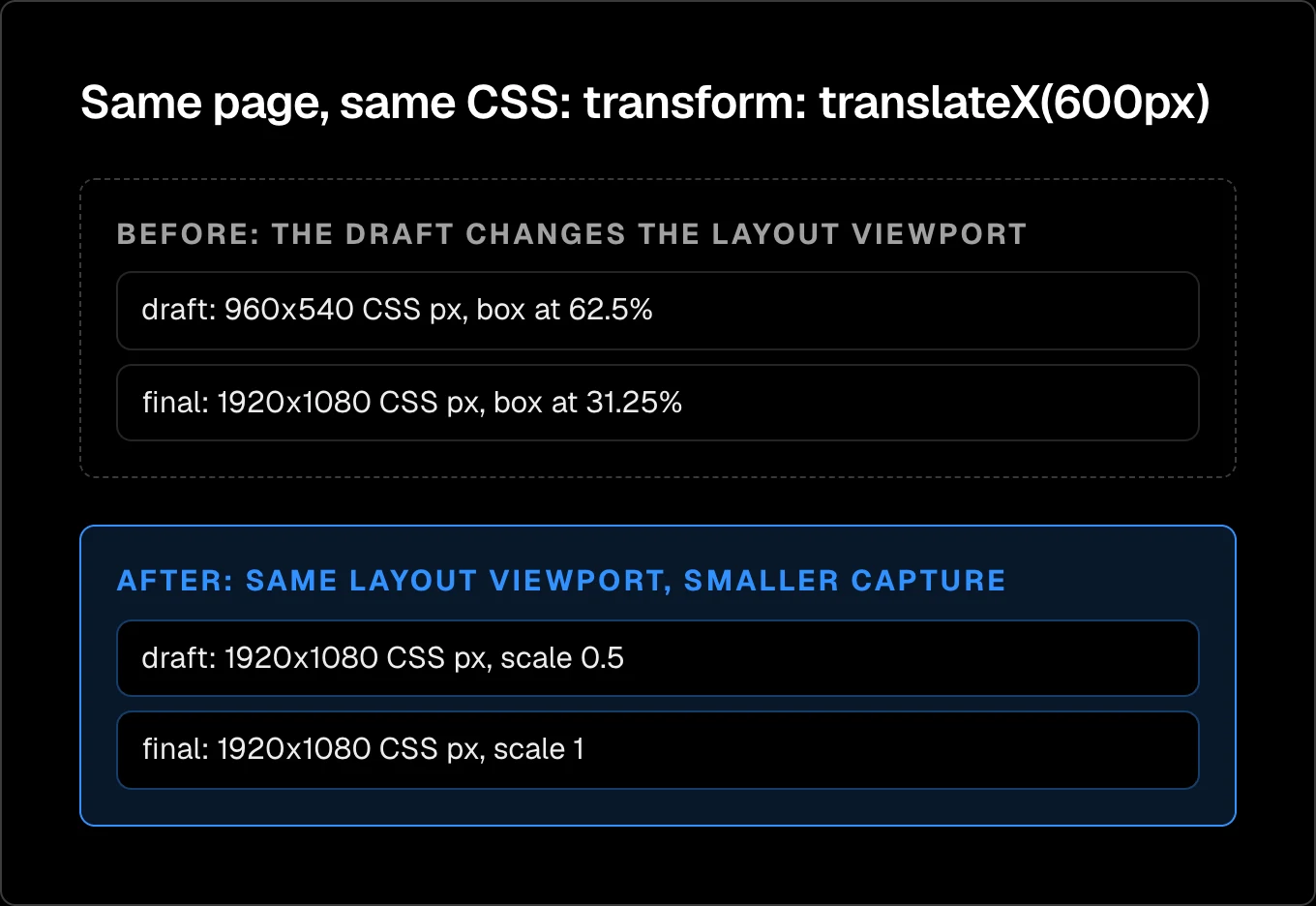
Schematic. The box and the 600 px offset are an example, not a frame from a film.
## Why a smaller viewport moves things
A vawe film is a web page. A draft is a quick, half-size render that an agent uses to check its edits. A final is the full 1920x1080 render. To save time, the first version rendered a draft in a 960x540 CSS viewport.
That works for percentages and `vw` units. It breaks for any pixel value. A keyframe that translates by 600 px, or a fixed `left: 900px`, is 62.5% of the draft width but only 31.25% of the final width. The page's own `--vw` and `--vh` variables followed the viewport too, so a draft described a different page.
It cost us real time. An agent fixed a draft that looked right, and the final then showed a block left on screen. The tool had shown the agent a different layout.
## What deviceScaleFactor changes
The page now always lays out at the full CSS size of the aspect. The browser captures it at a device scale of 0.5 for a draft and 1 for a final. The function `resolveFrame` returns the full size and the scale. The values `--vw`, `--vh`, `data-aspect`, `window.vawe.width` and `window.vawe.height` always report the full size, so a page cannot tell that it is in a draft.
To see it, run this script. It puts a box at `left: 600px` and renders it three ways:
```js
import puppeteer from 'puppeteer';
const html = '';
const browser = await puppeteer.launch();
for (const [label, viewport] of [
['small viewport ', { width: 960, height: 540, deviceScaleFactor: 1 }],
['deviceScaleFactor .5', { width: 1920, height: 1080, deviceScaleFactor: 0.5 }],
['full size ', { width: 1920, height: 1080, deviceScaleFactor: 1 }],
]) {
const page = await browser.newPage();
await page.setViewport(viewport);
await page.goto('data:text/html,' + encodeURIComponent(html));
const left = await page.evaluate(() => document.getElementById('b').getBoundingClientRect().left / innerWidth);
const png = Buffer.from(await page.screenshot());
console.log(label, 'png', png.readUInt32BE(16) + 'x' + png.readUInt32BE(20), 'box at', (left * 100).toFixed(2) + '% of the width');
}
await browser.close();
```
On our machine it printed:
```
small viewport png 960x540 box at 62.50% of the width
deviceScaleFactor .5 png 960x540 box at 31.25% of the width
full size png 1920x1080 box at 31.25% of the width
```
## What we measured
| | Old draft | Draft with deviceScaleFactor |
|---|---|---|
| CSS layout size | 960x540 | 1920x1080 |
| Capture scale | 1 | 0.5 |
| Screenshot size | 960x540 | 960x540 |
| What `--vw` reports | Half size | Full size |
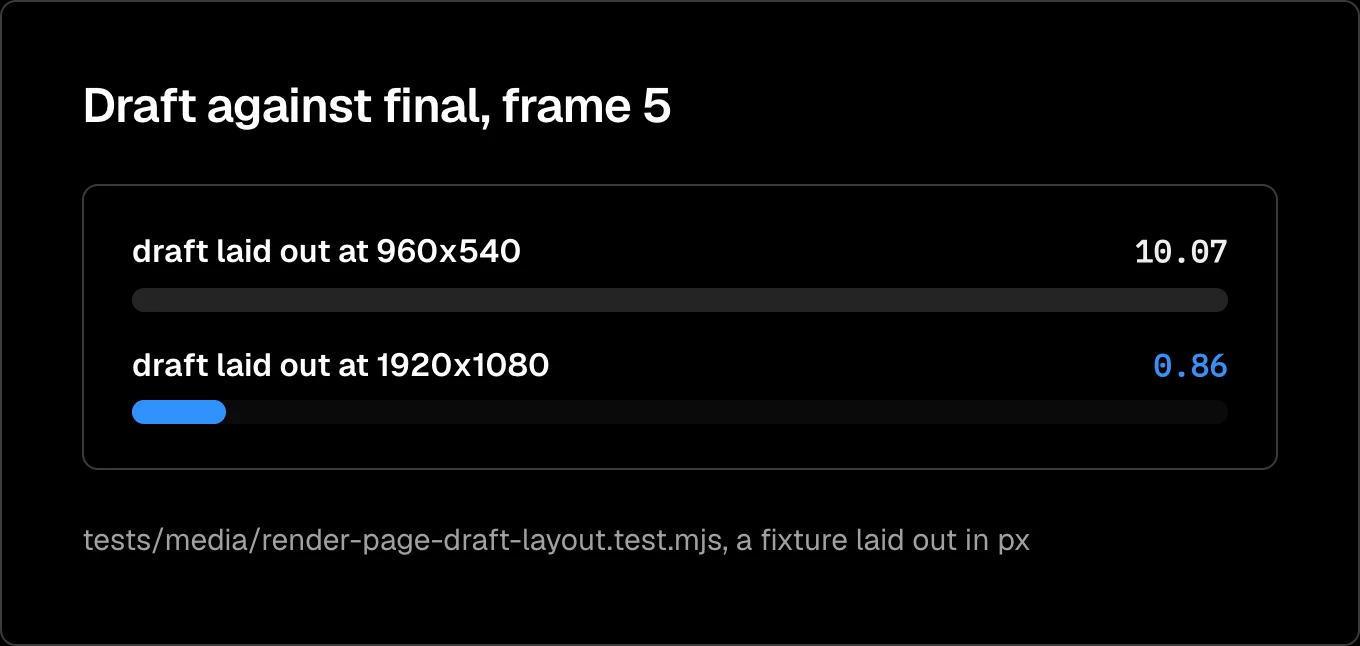
| Frame 5 mean diff against the final | 10.07 | 0.86 |
`tests/media/render-page-draft-layout.test.mjs` renders a fixture that is laid out in px as a draft and as a final. It compares frame 5. The mean difference was 0.86 with the fix and 10.07 on the previous code. One frame and one fixture caught the bug.
On the `three-star` example, a warm draft, capture went from 1.4–1.5 s to 1.3 s, and wall time from 2.7 s to 2.3 s. That is one film and one run. Read it only as a sign that the fix did not cost speed.
## When deviceScaleFactor is the wrong tool
On a WebGL page, Chrome's own downscale gave different pixels from run to run. On the `colour-sting` example, 117 of 154 captures differed between two renders. A full-size capture of the same page was repeatable.
You cannot debug a draft that changes on each run. So a draft now captures at device scale 1, and ffmpeg scales the result down with the `scale` filter and `flags=area`. The layout rule stays: the page still sees the full size. Only the place where the pixels shrink moved, from the browser to ffmpeg.
`tests/media/render-draft-halfsize-determinism.test.mjs` holds it. It renders a 1.5-second window of `colour-sting` twice and compares the per-frame hashes. The output must be 960x540 with 45 frames, identical across runs.
Correct and repeatable are two separate checks. A scale that is right but different on each run is still a bug. Full-size capture costs more than half-size capture. We won the time back with JPEG capture and slices sized to the work, in [speed up Puppeteer screenshots](https://vawe.dev/blog/fast-drafts).
## The second viewport bug: 800x600
On 30 September, our scoring agent reported three defects in final renders. It named a corner box that shrinks, a tiled "echo" in the motion blur, and a shrink at 2.8 s. The scoring agent is a fresh, read-only reviewer that looks at a contact sheet and six change-peak frames. We decided it had misread the sheet of small tiles. We made that call three times. A person who watched the film also saw the glitches.
Full-size frames at the named seconds settled it. One film showed an 800x600 copy of the page in the top-left corner at 2.8 s and again at 4.1 to 4.35 s. The other had 800x600 tiles blended into the motion blur at 0.8, 2.1, 3.15 and 3.7 s.
### Cause
The bug showed only when two processes shared one browser. An agent had started `vawe frame --vs`, which looks at a page in the shared browser, while a final captured frames there. A render alone was clean.
The warm-tab lookup called `browser.pages()`. In Puppeteer, that call makes a `Page` object for every tab, and each new `Page` takes the connection's default viewport, 800x600. So the lookup attached to the render's tab and laid it out at 800x600 for a few frames. This script shows it:
```js
import puppeteer from 'puppeteer';
const owner = await puppeteer.launch();
const render = await owner.newPage();
await render.setViewport({ width: 1920, height: 1080 });
await render.goto('data:text/html,
render tab
');
const size = () => render.evaluate(() => innerWidth + 'x' + innerHeight);
console.log('before:', await size());
const other = await puppeteer.connect({ browserWSEndpoint: owner.wsEndpoint() });
other.targets();
console.log('after targets():', await size());
await other.pages();
console.log('after pages(): ', await size());
other.disconnect();
await owner.close();
```
On our machine it printed `before: 1920x1080`, `after targets(): 1920x1080` and `after pages(): 800x600`.
### Fix
Warm tabs now carry a marker in their URL. `takeWarmPage` in `harness/media/preview-server.mjs` reads `browser.targets()`, which lists tabs without making a `Page` for them. It attaches only to its own warm tabs:
```js
export const WARM_HASH = '#vawe-warm';
const tabs = browser.targets().filter((t) => t.type() === 'page' && t.url().endsWith(WARM_HASH));
const warm = (await Promise.all(tabs.map((t) => t.page().catch(() => null)))).filter(Boolean);
```
We rendered a 66-frame window of one film beside a compare loop, twice before the fix and twice after. Before, both runs had 5 or 6 wrong frames. After, both had none. In the full finals, the first film had 14 frame-to-frame luma jumps over 20 before the fix and none after. The second film had no wrong-viewport frame.
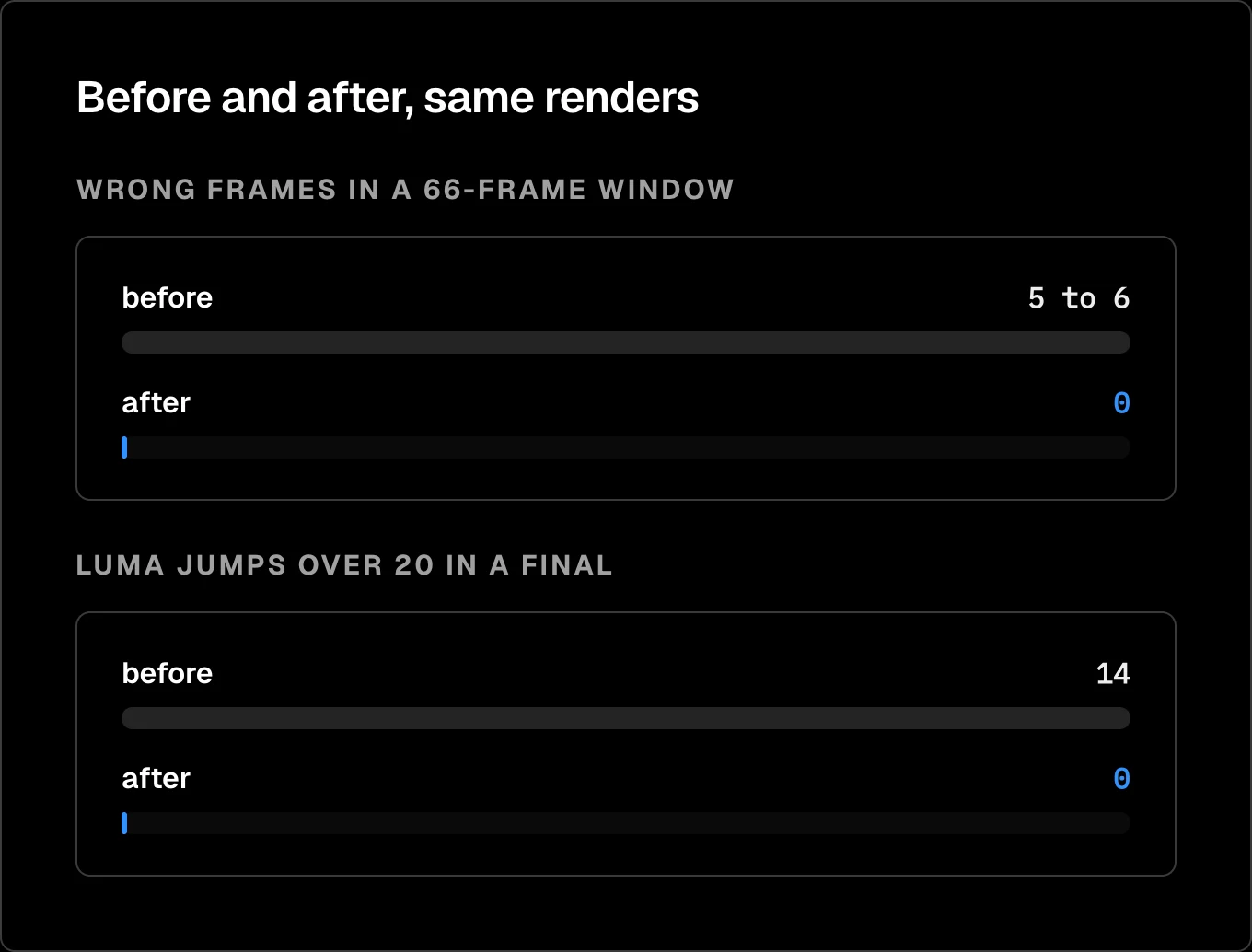
We did not count how many earlier finals had the defect.
### What we kept from it
A defect that the scoring agent reports is real until full-size frames at those seconds say otherwise. We had trusted our guess about the reviewer over the frames, three times.
A shared browser needs an owner for each tab. The same preview server gave two more bugs. A final's own page sat idle in the daemon. The daemon quit after 5 idle minutes, and the audio step failed with "Attempted to use detached Frame". A stray tab could also keep an idle daemon alive. The daemon now exits after 10 idle minutes.
The rule: never call `browser.pages()` on a browser that other processes share. Other causes of wrong frames are on the [determinism checklist](https://vawe.dev/blog/determinism). [LLM as a judge for video](https://vawe.dev/blog/watch-a-film) describes the scoring agent.
## FAQ
**What does Puppeteer deviceScaleFactor do?**
It sets how many screenshot pixels the browser paints per CSS pixel. A viewport of 1920x1080 with a factor of 0.5 lays out at 1920x1080 and gives a 960x540 image.
**How do I take a half-size screenshot in Puppeteer without changing the layout?**
Keep the full viewport and set `deviceScaleFactor: 0.5`. A smaller viewport changes percentages, `vw` units and any layout that depends on width.
**Why is my Puppeteer viewport 800x600?**
800x600 is the default viewport of a new `Page`. A call to `browser.pages()` on a shared browser attaches to other tabs and resets them to it. Use `browser.targets()` and attach only to tabs you own.
**Why use ffmpeg to shrink WebGL frames?**
Chrome's own downscale of a WebGL page gave different pixels on each run: 117 of 154 captures differed. A full-size capture was repeatable, so ffmpeg shrinks it with `flags=area`.
## Related
- [Puppeteer, --no-sandbox and an old Chrome: a security audit of a video renderer](https://vawe.dev/blog/headless-chrome-security)
- [Headless Chrome screenshots differ between runs: 6 fixes](https://vawe.dev/blog/determinism)
- [Render video with Puppeteer faster: capture from 140 s to 47 s](https://vawe.dev/blog/fast-drafts)