Blur word cascade
When to use
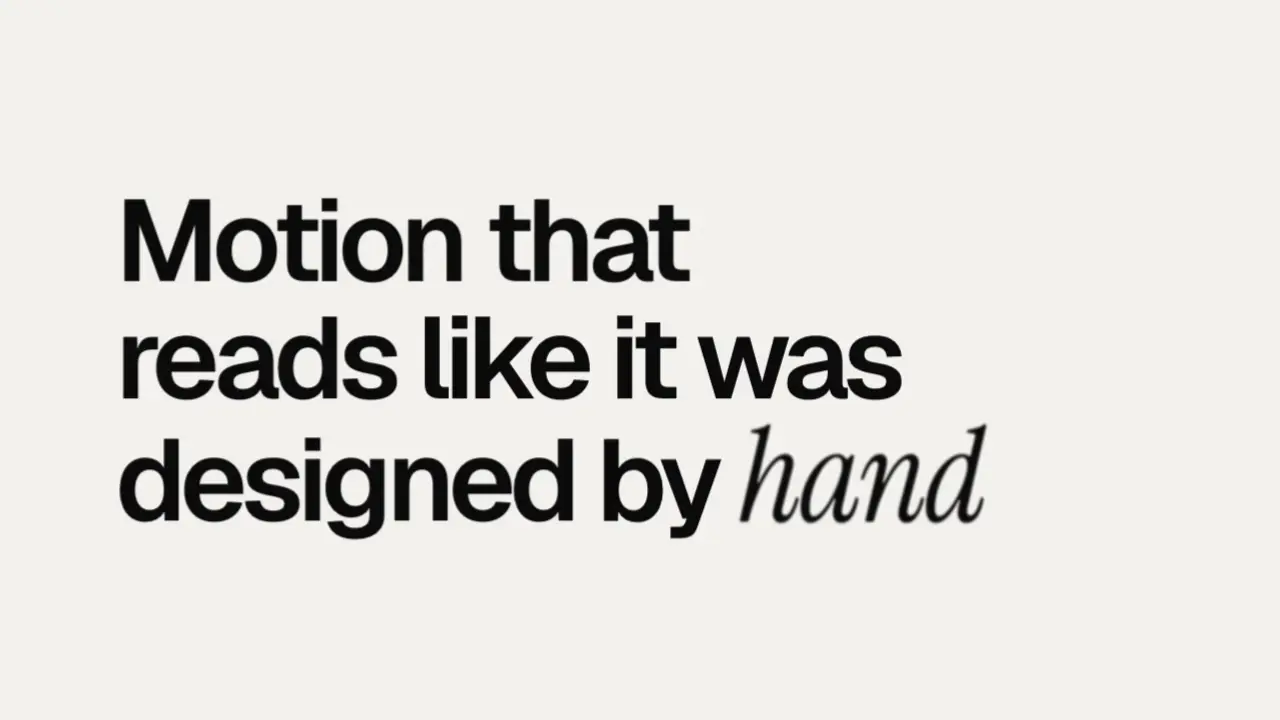
Use when a line of copy arrives word by word and must feel soft, not sliced: each word resolves from blur with a slight rise, one after another. There is no mask and no clip, so nothing cuts a descender. Clip: blur-word-cascade.mp4. Demo: demo/blur-word-cascade.html.
The code
/* near-black on off-white (#0b0b0b on #f2f1ec), a grotesk set large and tight, left and off-centre */
p { font: 600 calc(var(--u) * 16)/1.02 var(--sans); letter-spacing: -0.052em; text-wrap: balance; }
.w { display: inline-block; opacity: 0; filter: blur(0.14em); translate: 0 0.22em;
     animation-name: resolve; animation-duration: 0.8s;
     animation-delay: calc(0.12s + var(--i) * 0.09s);
     animation-timing-function: var(--soft); animation-fill-mode: both; }
@keyframes resolve { 45% { opacity: 1; } to { opacity: 1; filter: blur(0); translate: 0 0; } }
/* the word the line is about changes face, not colour: an italic serif, 1.14em to match x-heights */
.w.hot { font: italic 400 1.14em/0.9 'Instrument Serif', serif; letter-spacing: -0.02em; }
Easing and timing
The clip runs 1.6 s. The look is swiss.
The clip uses one named ease from core/motion/presets.js. Each is a pair of After Effects handles: influence is how far along the segment the handle reaches, and speed is how fast the value moves at the key, as a multiple of the segment's average speed. Motion in the docs explains both.
| Ease | Leaving a key | Arriving at a key |
|---|---|---|
land | 12% influence, speed 4.8 | 75% influence, speed 0 |
Notes
line.innerHTML = line.textContent.split(' ').map((t, i) => `<span class="w${t === 'hand' ? ' hot' : ''}" style="--i:${i}">${t}</span>`).join(' ');
document.documentElement.style.setProperty('--soft', EASE.land);
The numbers that make it look expensive
- 90 ms between words, 0.8 s per word. Each word is still softening when the third one after it starts, so the cascade reads as one wave.
- The blur starts at 0.14em and the rise is 0.22em: small enough that the word is readable while it is soft.
- Opacity reaches 1 at 45 percent of the keyframes. The blur is what the eye tracks, not the fade.
- Black type on paper needs no accent colour. Mark the one word with a second face (a grotesk line, one italic serif word); the blur reads cleaner on a light ground because the halo is grey, not a glow.
- Keep the spaces between the inline-block spans as real text spaces, so wrapping is unchanged.
The common mistake
Hiding each word under a mask box. That is mask-rise.md: a hard edge, and every descender needs padding. This move is for soft copy. Also never blur a word that is not moving: at rest the filter is blur(0), so the to keyframe must set it, and fill-mode: both holds it.
Looks (ground, type, radius, accent) live in demo/demo.css; this snippet keeps neutral tokens.
Sound
Sound: none; soft copy resolving from blur has no event to mark.
Related moves




See all 125 moves. Learn how a page becomes a film in the docs, copy chains of moves from the recipes, or read the motion guide.