Chain beats
When to use
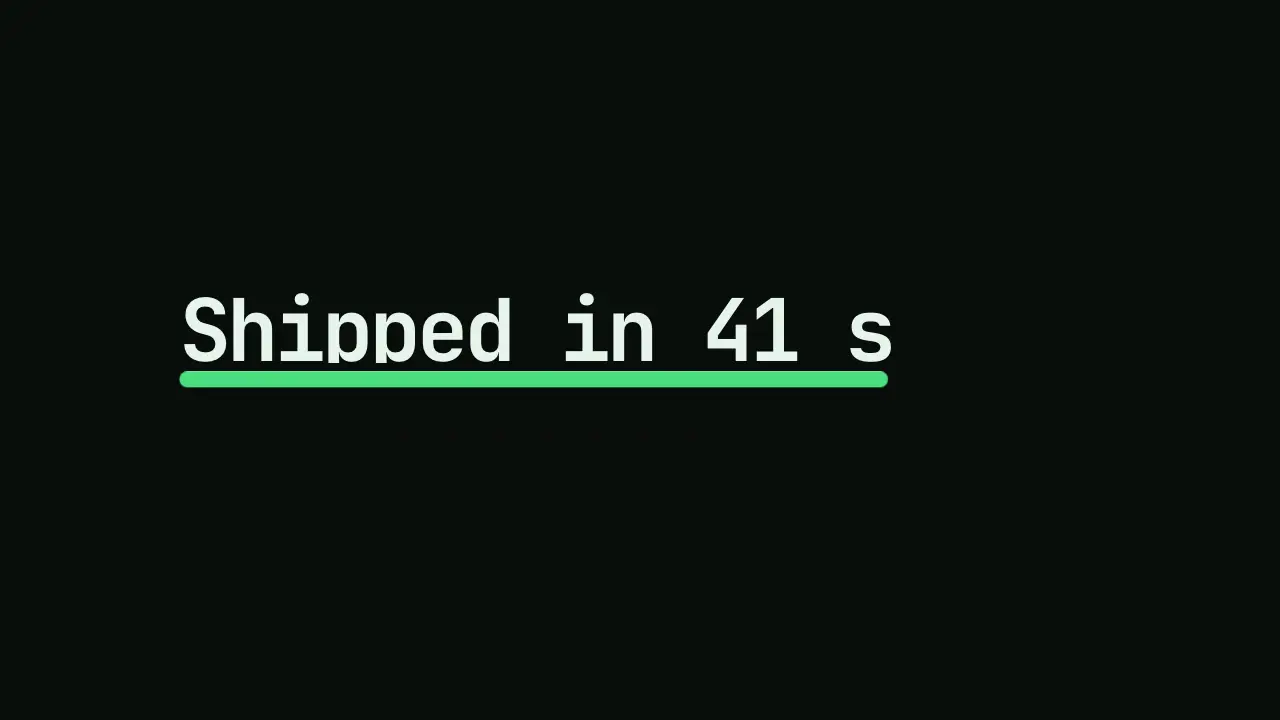
Use when a film has three or more beats and each one would otherwise wait for the last. The next move starts at 60 to 70 percent of the previous one, and one element hands off: here a dot widens into a bar, the bar closes to the rule under the headline, and the headline rises out of that rule. One object carries the film, so the beats read as one gesture, not a list. Clip: chain-beats.mp4. Demo: demo/chain-beats.html.
Use once per film: the bar and the rule is a stock device (rule no-tells), never the idea.
The code
<div class="stack">                         <!-- position: absolute, so it shrinks to the headline's width -->
  <div class="win"><h1>Shipped in 41 s</h1></div>   <!-- overflow: hidden; the headline rises out of its bottom edge -->
  <div class="row"><div class="chip"><span class="label">vawe ship films/launch</span></div></div>   <!-- align-items: flex-start -->
</div>
<script type="module">
import { EASE } from '../../core/motion/presets.js';
const chip = document.querySelector('.chip');
const next = (beat) => beat.at + beat.dur * 0.3;   // land reads as done at 0.49 of its duration; 0.3 is 61% of that
const A = { at: 50, dur: 800 };
const B = { at: next(A), dur: 1000 };
const C = { at: next(B), dur: 1500 };
const run = (el, frames, beat, fill = 'both') =>
  el.animate(frames, { duration: beat.dur, delay: beat.at, easing: EASE.land, fill });

run(chip, [{ translate: '-9vw 0' }, { translate: '0 0' }], A);                                      // the dot lands
run(chip, [{ width: '5vh', height: '5vh' }, { width: '100%', height: '10vh' }], B);                 // the dot becomes a bar as wide as the headline
run(chip, [{ height: '0.6vh' }], C, 'forwards');                                                    // the bar closes up to its top edge: the rule
run(document.querySelector('h1'), [{ translate: '0 101%' }, { translate: '0 0' }], { at: C.at + 80, dur: 1300 });
</script>
Easing and timing
The clip runs 1.4 s. The look is terminal.
The clip uses 2 named eases from core/motion/presets.js. Each is a pair of After Effects handles: influence is how far along the segment the handle reaches, and speed is how fast the value moves at the key, as a multiple of the segment's average speed. Motion in the docs explains both.
| Ease | Leaving a key | Arriving at a key |
|---|---|---|
land | 12% influence, speed 4.8 | 75% influence, speed 0 |
launch | 33% influence, speed 0 | 25% influence, speed 3 |
Notes
The overlap is measured on what the eye sees, not on the duration: EASE.land covers 90 percent of its distance by 0.49 of the duration, so "60 percent of the beat" is 0.3 of dur. Start the next beat at 100 percent and the dot sits still for 0.2 s, which is the template feel this move removes. A later beat on the same property needs a keyframe with no from and fill: 'forwards'; a from fills backwards over the earlier beat and wipes it. The rule must end where the headline starts: the bar takes 100% of a box that shrinks to the headline, closes toward its top edge, and the headline's window sits right above it, so the text is hidden until it rises out of the line. Hand off the element, not the idea: if beat B brings a new object, the chain is broken.
Looks (ground, type, radius, accent) live in demo/demo.css; this snippet keeps neutral tokens.
Sound
Sound: bloom at 0.62 s into the move, so its soft peak meets the headline rising out of the rule at 0.67 s (default gain); one cue for the whole chain.
Related moves


See all 125 moves. Learn how a page becomes a film in the docs, copy chains of moves from the recipes, or read the motion guide.