Cut on motion
When to use
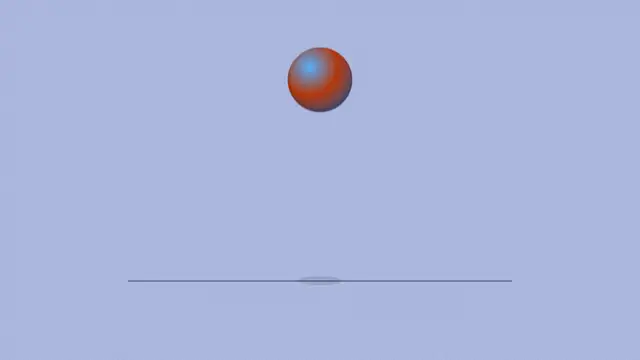
Use when a hard cut should not feel like one. One shape rides one path across both scenes; the scene under it changes at 50% with a step, and the shape only flips colour. A symmetric curve puts the shape mid-frame at peak speed exactly on the cut, which is what hides the cut. Clip: cut-on-motion.mp4. Demo: demo/cut-on-motion.html.
The code
.scene { position: absolute; inset: 0; }
.after { background: var(--ink); color: var(--ground); animation-name: cut; animation-duration: 1s; animation-timing-function: linear; animation-fill-mode: both; }
@keyframes cut { 0%, 49.9% { opacity: 0; } 50%, 100% { opacity: 1; } }

.ball { position: absolute; top: calc(var(--u) * 38); left: calc(var(--u) * -14); width: calc(var(--u) * 14); height: calc(var(--u) * 14); border-radius: 50%; background: var(--accent);
        animation-name: travel, flip; animation-duration: 1s, 1s;
        animation-timing-function: var(--through), linear; animation-fill-mode: both, both; }
@keyframes travel { to { translate: 118vw 0; } }
@keyframes flip { 0%, 49.9% { background: var(--accent); } 50%, 100% { background: var(--ground); } }
Easing and timing
The clip runs 1 s. The look is brutal.
The clip uses one named ease from core/motion/presets.js. Each is a pair of After Effects handles: influence is how far along the segment the handle reaches, and speed is how fast the value moves at the key, as a multiple of the segment's average speed. Motion in the docs explains both.
| Ease | Leaving a key | Arriving at a key |
|---|---|---|
swap | 75% influence, speed 0 | 75% influence, speed 0 |
Notes
<div class="scene before">before</div>
<div class="scene after">after</div>
<div class="ball"></div>
<script type="module">
import { EASE } from '../../core/motion/presets.js';
document.documentElement.style.setProperty('--through', EASE.swap);
</script>
The shape can be a word, a card edge or a cursor; what matters is that its path does not stop at the cut. Put the cut two frames before the sound cue, never after it.
Looks (ground, type, radius, accent) live in demo/demo.css; this snippet keeps neutral tokens.
Sound
Sound: pluck at 0.53 s into the move, two frames after the cut at 0.50 s (default gain).
Related moves
 Push with directional blur
 Exits faster than entrances
 Chain beats
 Whip pan
 Slice shift
 Speed ramp freeze
See all 125 moves. Learn how a page becomes a film in the docs, copy chains of moves from the recipes, or read the motion guide.