Text scramble decode
When to use
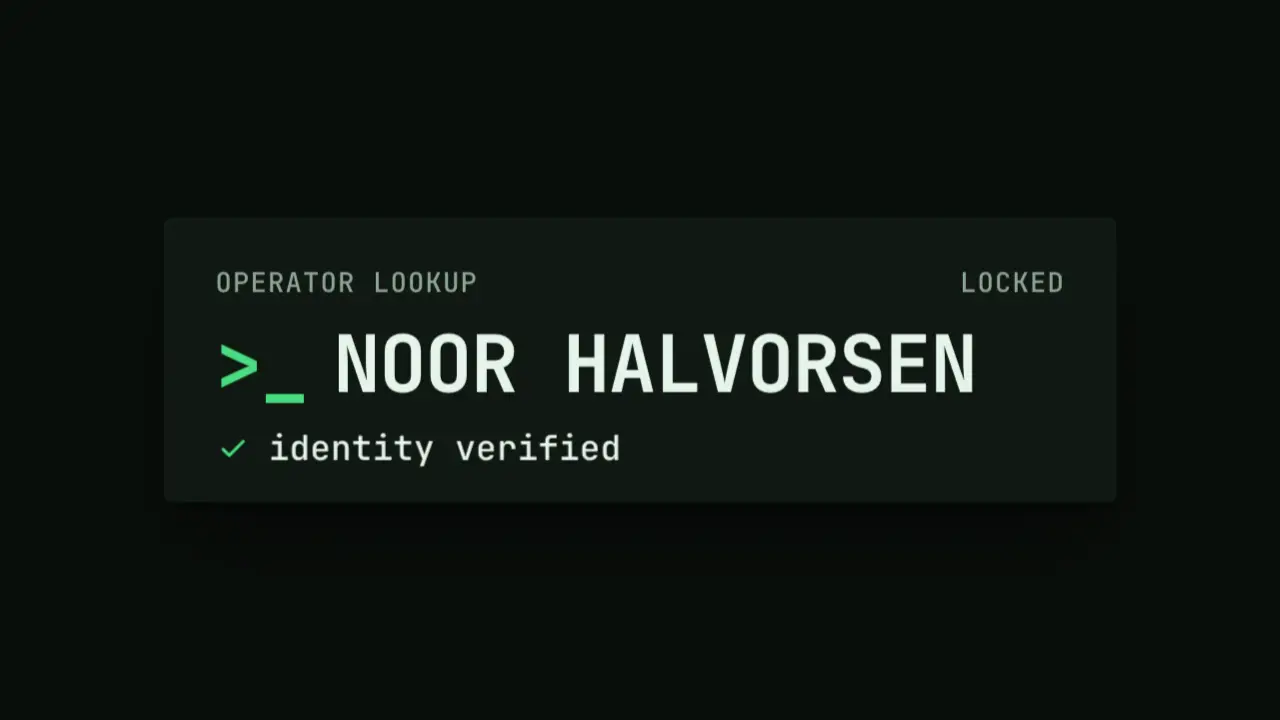
Use when a name, a codename or a status is revealed as a lookup result: a terminal line starts as wrong glyphs and resolves one letter at a time, left to right, then a verified line appears under it. It suits an operator, a model name or an access screen. It differs from flap-resolve, which is a physical board: here the glyphs are plain mono characters and the lock is a colour flash. Clip: text-scramble-decode.mp4. Demo: demo/text-scramble-decode.html.
The code
import '../../core/engine/page-api.js';
import { rng } from '../../core/motion/springs.js';
const TARGET = 'NOOR HALVORSEN', GLYPHS = 'ABCDEFGHJKLMNPQRSTUVWXYZ0123456789#$%&*+<>?/=', FPS = 24, SEED = 41;
const start = 0.4, gap = 0.1, flash = 0.14;   // seconds: first lock, one letter every 100 ms, accent flash on a fresh lock

// each letter locks at its own time, left to right, with a seeded wobble of up to 40 ms
const lockAt = [...TARGET].map((_, i) => start + i * gap + rng(SEED + i)() * 0.04);
// the glyph on show is a hash of (letter, 24 fps step): never Math.random, and a seek to any t shows the same string
const glyph = (i, step) => GLYPHS[Math.floor(rng(Math.imul(i + 1, 0x9e3779b1) ^ Math.imul(step + 1, 0x85ebca6b))() * GLYPHS.length)];

vawe.onFrame((t) => {
  const step = Math.floor(t * FPS);
  cells.forEach((c, i) => {
    if (TARGET[i] === ' ') return;
    const since = t - lockAt[i], locked = since >= 0;
    c.textContent = locked ? TARGET[i] : glyph(i, step);
    c.style.color = !locked ? 'var(--muted)' : since < flash ? 'var(--accent)' : 'var(--ink)';   // muted noise, accent flash, then ink
  });
});
const done = start + (TARGET.length - 1) * gap + 0.08;
status.animate([{ translate: '0 1.2vh', opacity: 0 }, { translate: '0 0', opacity: 1 }], { duration: 320, delay: done * 1000 + 160, easing: EASE.land, fill: 'both' });
Easing and timing
The clip runs 3 s. The look is terminal.
The clip uses one named ease from core/motion/presets.js. Each is a pair of After Effects handles: influence is how far along the segment the handle reaches, and speed is how fast the value moves at the key, as a multiple of the segment's average speed. Motion in the docs explains both.
| Ease | Leaving a key | Arriving at a key |
|---|---|---|
land | 12% influence, speed 4.8 | 75% influence, speed 0 |
Notes
Use one mono face with white-space: pre and one span per letter, so the line never changes width while it scrambles. A space is never scrambled. The noise glyphs are --muted and the locked letters --ink, so the eye reads a left edge of stable text growing to the right; the accent flash on each fresh lock (140 ms) is the only emphasis, and it is not a glow. Change glyphs at 24 steps per second, not every frame: a 60 fps shimmer reads as a blur, not as code. Budget about 100 ms per letter: 14 letters lock in 1.4 s.
Looks (ground, type, radius, accent) live in demo/demo.css; this snippet keeps neutral tokens.
Sound
Sound: pluck at 1.72 s into the move, when the last letter locks (default gain); no tick per glyph.
Related moves

See all 125 moves. Learn how a page becomes a film in the docs, copy chains of moves from the recipes, or read the motion guide.