Edit an AI-made video by hand.
An agent writes your film as one HTML page. The vawe studio opens that page in a live editor on your machine. You scrub the film, drag its keys and change its colours and text. Each change is a small text edit in the page file, so the agent can keep working on the same film.
Copy this prompt into your agent
Paste it into Claude Code, Codex or Cursor. Fill in the parts in angle brackets. The agent installs vawe if it needs to and does the steps on this page.
Use vawe (https://github.com/vawe-hq/vawe), the open-source HTML-to-video tool, to open my film in the vawe studio so I can edit it by hand.

My film: <path to your film's page.html>.

Start it with npx vawe dev <my film> --studio in the background, then tell me the address it prints. While it runs, read the page file again before you change it, because I may have edited it in the studio.

If vawe is not installed here, install it first:
npm install @vawe/cli
(it needs Node 22 or newer and ffmpeg; npx vawe new prints the install line for anything missing).
Then follow each command’s next: line.
Open it with one command.
Run the command with --studio and open the address it prints. Leave it running while you work and press Ctrl-C to stop. The default port is 8799. --port changes it.
The studio seeks the page to a time. It does not play it on a clock. It uses the same clock and seek code as the renderer, so a frame you see is the frame the render makes.
studio/README.md · harness/cli/verbs.mjsbin/vawe dev films/my-film/page.html --studio
vawe studio (page): films/my-film/page.html
open http://127.0.0.1:8799/studio
Ctrl-C to stop.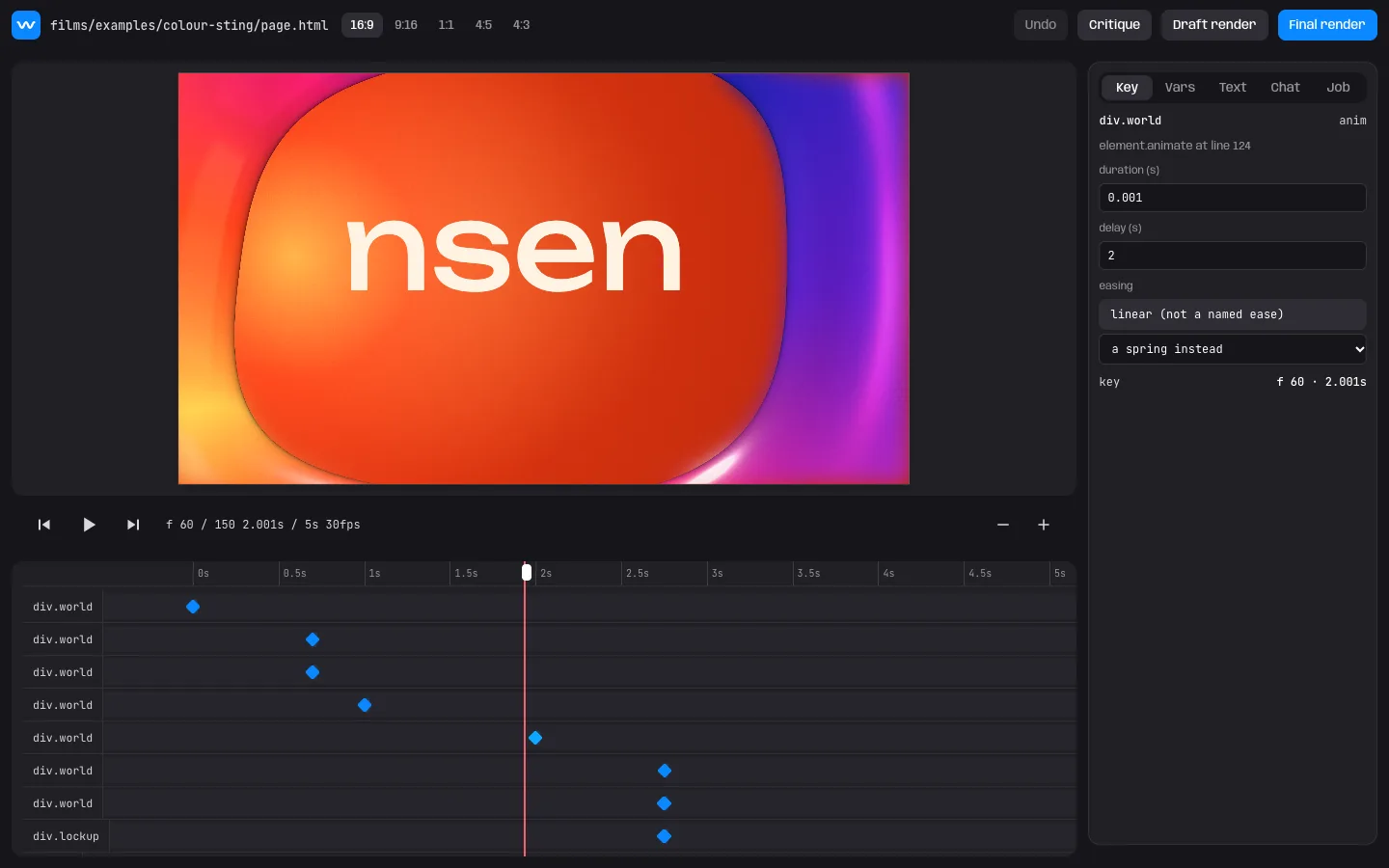
What each panel does.
- Preview and aspect. The film in a frame. Buttons switch between 16:9, 9:16, 1:1, 4:5 and 4:3 to check one page at each size.
- Transport. Play, step one frame, scrub the ruler, zoom the timeline. Space plays. Left and right step a frame.
- Timeline. One row for each animated element, with a diamond for each key. Drag a diamond to move that key in time.
- Key. Select a key to change its duration, delay and easing. The ease menu draws each curve and tries it in the preview as you hover.
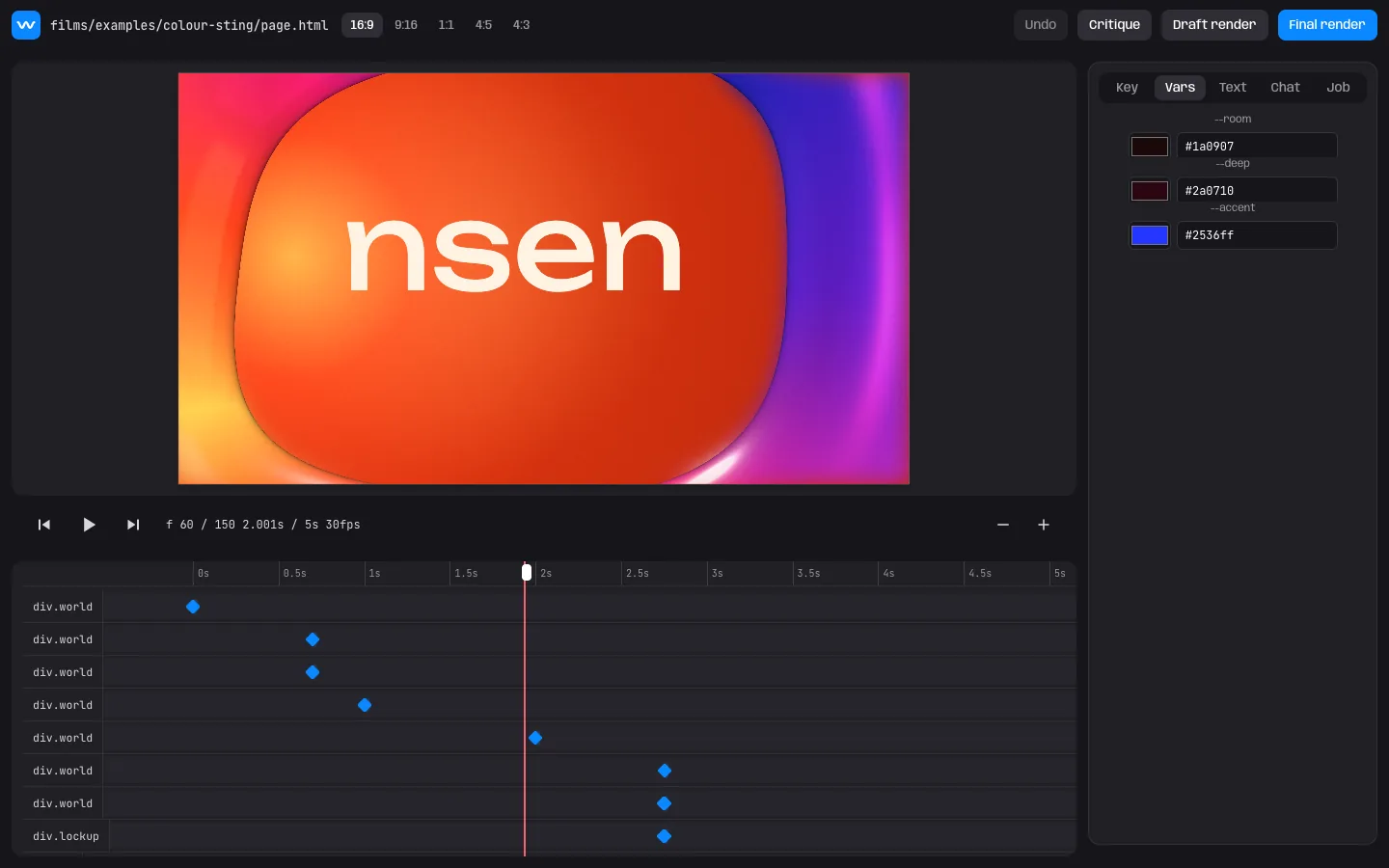
- Vars. The colours and numbers in the page’s
:rootproperties, with a swatch for each colour. - Text. Every line of text in the film, in a box you can edit.
- Chat. Ask for a change in words. It runs
claude -pon this machine, so Claude Code must be installed. It may edit only this page file. - Job. The output of the buttons at the top: Critique runs
vawe critique, Draft render runsvawe devand Final render runsvawe ship. Undo takes back your last edit.
Every edit is a text patch in the page.
A tunable is a literal in the page: a [[frame, value]] table, a @keyframes stop, an element.animate keyframe or a :root property. The studio changes that text and nothing else. A save that changes nothing is a zero-byte diff.
The studio checks the file about once a second. If you or an agent change the page outside the studio, it reloads the new page. The agent reads the same file and carries on.
studio/README.md · studio/page-source.mjs- [2, 0.62], [3.4, 1] + [2.4, 0.62], [3.4, 1]
What it does not do.
- It edits what the page states as a literal. A value the page computes has no number to change, so the studio leaves it locked. Ask the agent for that one.
- It does not make the film. The agent writes the page. The studio is for the changes you can see and want to make by hand.
- The final render keeps its gate.
vawe shiprefuses to run until the plan and the draft have your OK.
More on how an agent makes the film.
- How an agent writes the page: the loop from request to final render.
- Edit video with Claude Code: the steps in Claude Code, Codex or Cursor.
- What vawe does for you: the decisions the engine makes.
- How-to guides: one guide per editing task.