Photo to point cloud: seeded particles from an image
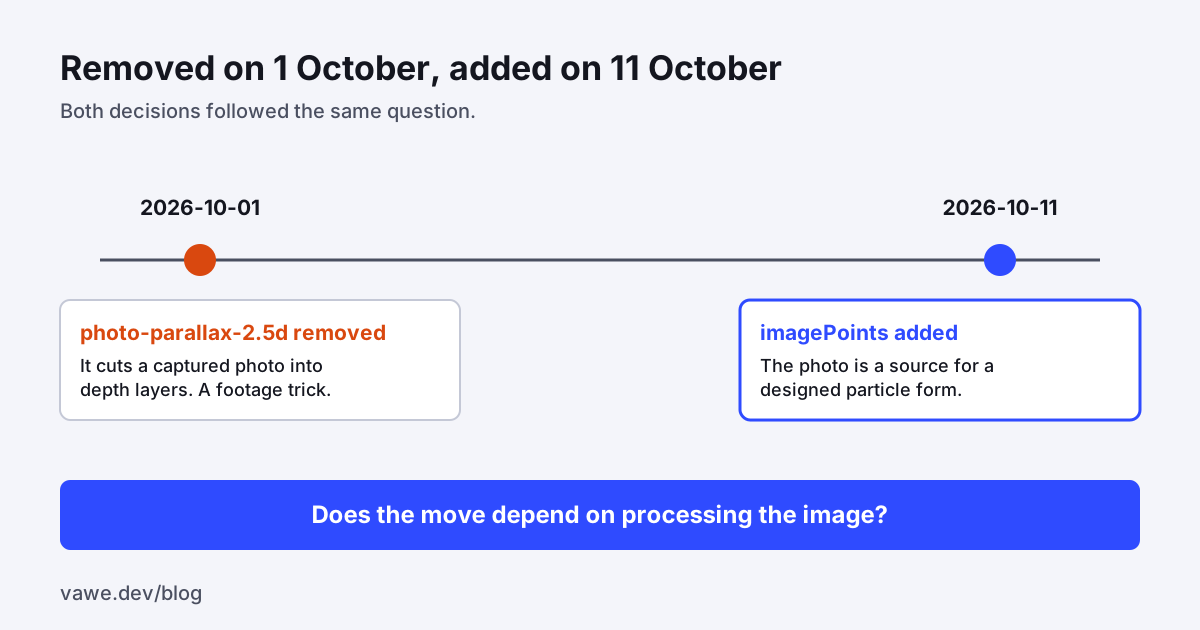
We deleted a photo move on 1 October and added another photo move on 11 October, and both decisions were right. The first move cut a captured photo into depth layers. The second samples a photo into a cloud of lit points. Both use a photo. The difference is what the move needs from it. This post covers the photo to point cloud function imagePoints, the scope rule that allowed it, and the clip size budget we added on the way.
The problem: a rule that said "no photos"
On 1 October we removed photo-parallax-2.5d (commit 26e8d99d9). The reason in the commit is short: parallax on captured photos is not motion design. vawe animates designed things: type, shapes, UI, illustration, colour fields. A move that works by cutting a captured image into depth layers, faking camera depth inside it, tracking it or rotoscoping it is a footage technique. It depends on the photo and fails on an illustration.
Ten days later we wanted particle subjects with real detail: veins, scales, fibres, filaments. A hand-modelled shape cannot give you those. A photo can. So the rule "no photos" was too coarse. We needed a rule that kept the first decision and allowed the second.
What we tried
We could have written an exception: photos are allowed for particles. That is a second way to say one thing. It would also leave the next agent unsure about the next case.
We replaced the rule with a question. Does the move depend on processing the image? Parallax depth cuts do. A card, a tile, a window or a carousel item that shows a photo whole does not, so it is allowed. A particle form that uses the photo as a source of detail, and never shows it as footage, does not either. The scope text in the moves README follows this, and we do not write "no photos" into any agent prompt.
What we built: photo to point cloud
Commit 727e944f6 added core/surfaces/image-points.js at 144 lines. imagePoints(image, options) samples a photo into a point cloud.
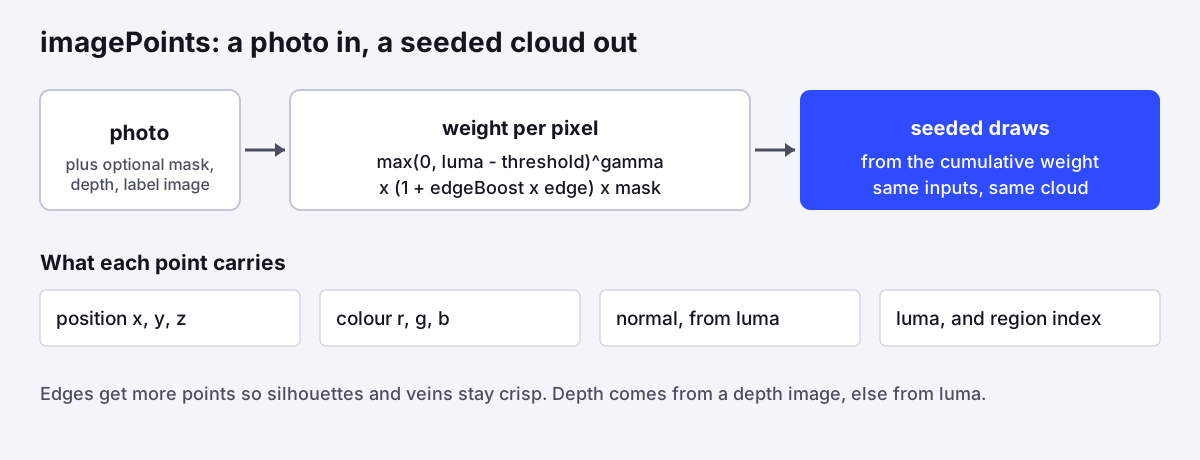
The density of the points follows a weight. The weight is the luma above a threshold, raised to a gamma, times one plus an edge boost times the edge strength, times the mask. The edge is the Sobel magnitude, scaled to 1 at the strongest edge. A point is a seeded draw from the cumulative weight. Each point keeps the photo's own colour, a position (the long side spans -1 to 1, with y up and z from a depth image or from luma), and a normal tilted by the luma gradient. A key light can then shape the form by the dot product of the normal and the light.
There is also a regions helper. It takes a flat label image and gives each point the index of the colour under it, so a film can move parts apart: an eye's lid and iris, a manta's wings and body.
Seeded
The same photo gives the same cloud on every render. The draw uses the seeded rng from our motion module, not Math.random. A later commit, 753ad2e5a, added ten tests for it: seed, threshold, the gamma ratio, edge boost, mask, regions, depth, and unit-length normals. Without that, a particle film could not meet our page contract, which requires that a frame is a pure function of time. The determinism reasons are in our post on deterministic rendering.
The clip
The move is photo-particles. It samples a public-domain Hubble mosaic of the Crab Nebula (NASA, ESA, J. Hester and A. Loll) into 120,000 points. They gather from a seeded scatter over 1.5 seconds and then hold, breathing, for 1.5 seconds. The cloud is filmed through the lens (see also the lens move) with the film-halation look.
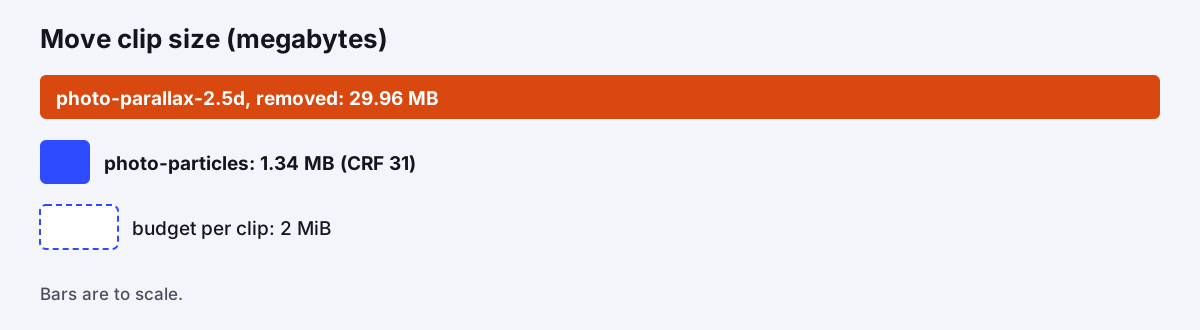
The clip was dense, so it was large. Commit 817edeee7 added a 2 MB size budget per clip. The renderer encodes again at higher CRF steps until the file fits, and logs the CRF in clips.lock.json. The CRF steps start at 16, go up by 3 and stop at 31. This clip ended at CRF 31 and 1.3 MB, which is exactly 1,342,076 bytes in the commit.
The measured result
Three facts hold.
- Seeded: the same photo gives the same cloud, and ten tests cover the inputs.
- Fast: 1,000,000 points from a 2048 by 1536 image take about 0.5 s, from the move's doc. The demo builds its cloud on the first seek of each page, so every render slice pays about 1 s once.
- Small: the new clip is 1.34 MB. The clip we removed was 29,964,958 bytes, about 30 MB, so it would have failed the new budget by a large margin. The budget was added after the removal, so the 30 MB clip never had to meet it.
We did not measure whether films made with the point cloud score higher. The move came out of a direct request for detailed particle subjects, and we judged it by looking at the clip.
A practical gotcha: load the photo inside the frame hook, not with a top-level await. The renderer seeks the first frame before a module that waits has finished, and that first frame comes out black.
What we would tell someone building the same thing
- Turn a scope rule into a question. "No photos" blocked a good move. "Does it depend on processing the image?" kept the old deletion and allowed the new feature.
- Seed everything. A point cloud from a photo is only useful in a deterministic renderer if the same input gives the same points.
- Weight the points by what the eye reads. Brightness above a threshold, plus more points on edges, kept veins and silhouettes crisp.
- Budget the size of your demo assets and let the encoder meet it, instead of asking an author to guess a quality setting.
- Check the licence of the photo and write it down. Ours lists the source in a credits file.
For a public example film that puts a three.js scene through the same lens, see the moth photogram example in the repo. The page rules are in the docs. The code is at github.com/Vandit1604/vawe.
In the code
core/surfaces/image-points.js:imagePointsandregions.harness/lib/clip-budget.mjs: the 2 MB budget and the CRF steps.prompts/moves/photo-particles.md: the move and its options.- Commits:
26e8d99d9drop photo parallax,727e944f6imagePoints,753ad2e5atests,817edeee7photo-particles and the clip budget.