Video componentsProduct moments
Clip expand from a point
When to use
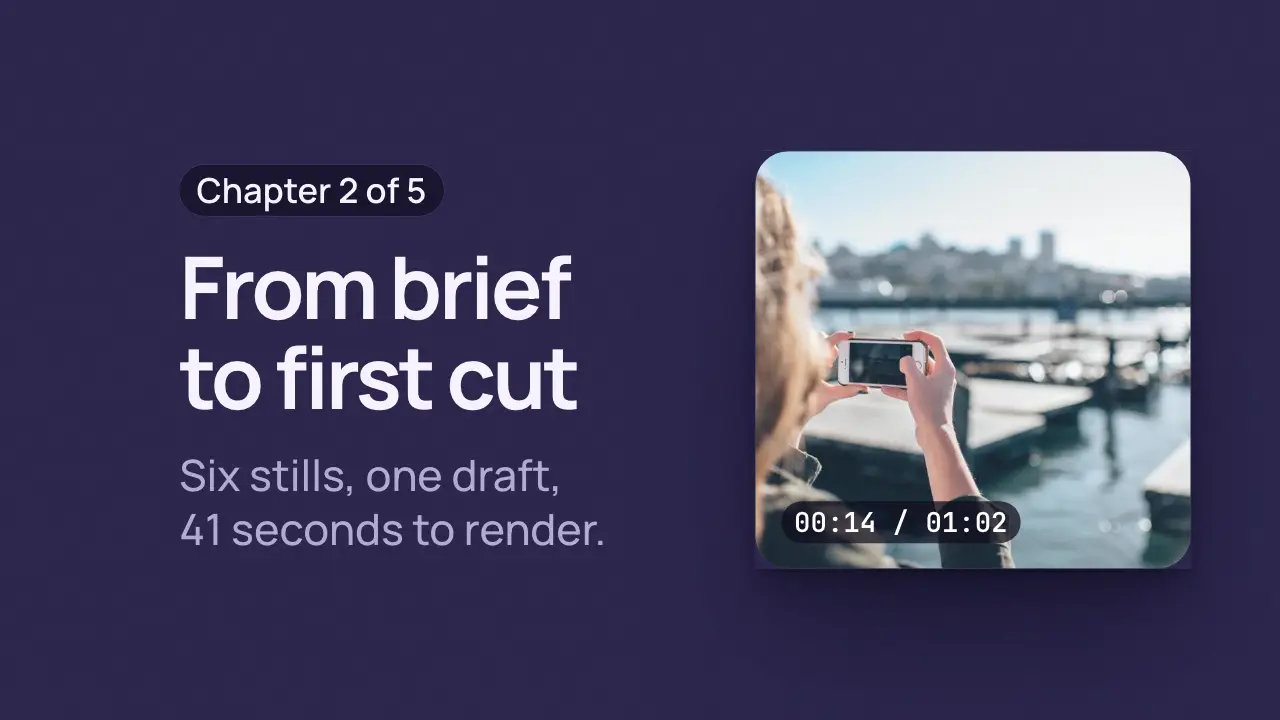
Use when a panel, a capture or a colour field grows out of one point. Put something at that point first (a dot, a cursor, the word that becomes the panel) so the eye is already there when the expansion starts. --x and --y name the point once.
The code
:root { --x: 22%; --y: 74%; }
.thumb { position: absolute; left: var(--x); top: var(--y); translate: -50% -50%; width: 11vh; height: 11vh;
       border-radius: 50%; background: var(--accent); }
.panel { position: absolute; inset: 0; clip-path: circle(0% at var(--x) var(--y));
         animation-name: expand; animation-duration: 0.8s; animation-delay: var(--beat-2);
         animation-timing-function: var(--settle); animation-fill-mode: both; }
@keyframes expand { to { clip-path: circle(140% at var(--x) var(--y)); } }
Easing
Each ease is a pair of After Effects handles from core/motion/presets.js. Every curve as CSS.
| Ease | Leaving a key | Arriving at a key |
|---|---|---|
land | 12% influence, speed 4.8 | 75% influence, speed 0 |
Notes
<div class="thumb">...play icon...</div>
<div class="panel">...chapter title...</div>
<script type="module">
import { EASE } from '../../core/motion/presets.js';
document.documentElement.style.setProperty('--settle', EASE.land);
</script>
For a rectangular reveal use inset() with the same origin: clip-path: inset(26% 78% 74% 22%) to inset(0). A circle reads as a burst, an inset as a window opening.
Looks (ground, type, radius, accent) live in demo/demo.css; this snippet keeps neutral tokens.
Sound
Sound: bloom at --beat-2, as the circle opens from the point; its slow attack follows the growth (default gain).