Video componentsProduct moments
Success check
When to use
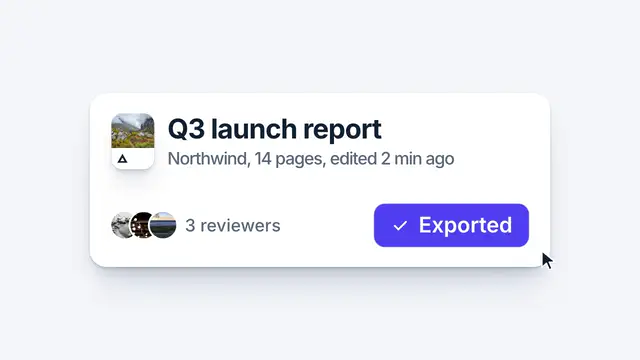
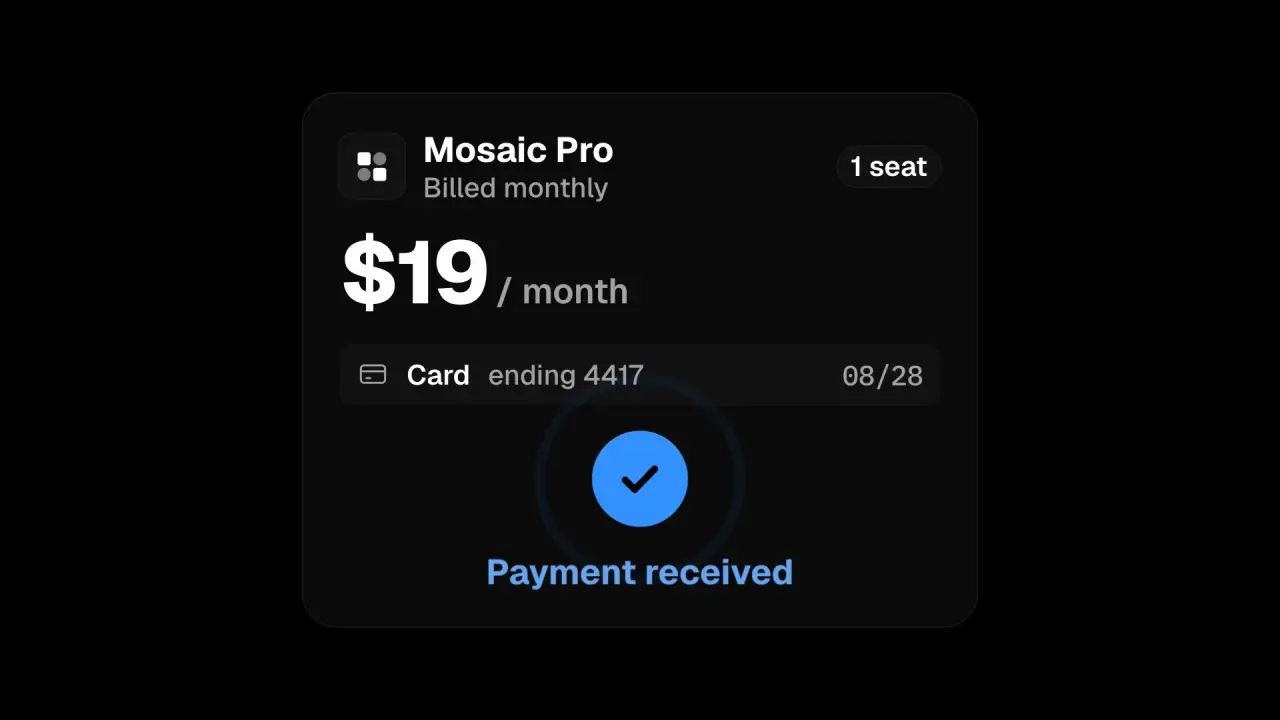
Use when a product flow ends and the film has to say “it worked” with a state change, not text. A button takes the press, closes to its own circle, a check draws inside it, and the finished circle lands with a small press pop while one ring leaves it. The detail that sells it is the order: press, resolve, draw, land, each starting before the last one has finished.
The code
import { EASE } from '../../core/motion/presets.js';
const T = { press: 200, morph: 280, draw: 600, land: 940 };   // ms
// 1 press: the whole button dips to 0.96 and returns on a pop
btn.animate([{ scale: 1 }, { scale: 0.96, offset: 0.3 }, { scale: 1 }], { duration: 300, delay: T.press, easing: EASE.pop, fill: 'both' });
// 2 resolve: the width closes to the height and the radius follows; the label leaves with blur
btn.animate([{ width: `${W}px`, borderRadius: r0 }, { width: `${H}px`, borderRadius: `${H / 2}px` }], { duration: 420, delay: T.morph, easing: EASE.land, fill: 'both' });
label.animate([{ opacity: 1, scale: 1, filter: 'blur(0px)' }, { opacity: 0, scale: 0.6, filter: 'blur(3px)' }], { duration: 160, delay: T.morph, easing: EASE.launch, fill: 'both' });
// 3 draw: <path pathLength="1" stroke-dasharray="1" stroke-dashoffset="1" d="M5.5 12.5l4.2 4.2L18.5 7.6"/>
check.animate([{ strokeDashoffset: 1 }, { strokeDashoffset: 0 }], { duration: 360, delay: T.draw, easing: EASE.landSoft, fill: 'both' });
// 4 land: a small press pop on the circle, one ring leaves it, the confirmation rises
btn.animate([{ scale: 1 }, { scale: 0.93, offset: 0.16 }, { scale: 1 }], { duration: 620, delay: T.land, easing: EASE.pop, fill: 'both' });
ring.animate([{ opacity: 0.9, scale: 1 }, { opacity: 0, scale: 2.3 }], { duration: 640, delay: T.land + 40, easing: EASE.land, fill: 'both' });
Easing
Each ease is a pair of After Effects handles from core/motion/presets.js. Every curve as CSS.
| Ease | Leaving a key | Arriving at a key |
|---|---|---|
glide | 33% influence, speed 0 | 33% influence, speed 0.1 |
land | 12% influence, speed 4.8 | 75% influence, speed 0 |
landSoft | 20% influence, speed 2.5 | 75% influence, speed 0 |
launch | 33% influence, speed 0 | 25% influence, speed 3 |
pop | 12% influence, speed 4.8 | 35% influence, speed -1.5 |
Notes
The check is a stroke of two segments (the short leg, then the long one) on one dash, so it draws with one curve and reads as a pen stroke. The stroke width matches the text weight beside it (3 at this size). The button starts closing while the press is still returning: waiting for the press to end makes the sequence read as four separate events. Keep the ring to one, at 2.3x and fading, and keep the check white on the accent; a second colour or a burst turns a small win into a celebration. Select the check by its button (.pay path): a page with icons has another path first.
Looks (ground, type, radius, accent) live in demo/demo.css; this snippet keeps neutral tokens.
Sound
Sound: chime at 0.94 s into the move, when the circle lands and the ring leaves it (default gain); nothing on the press.