Design system and kit
Write DESIGN.md and kit/ for one film, so every key frame comes from the same palette, type and parts.
At the end of this page the film has films/<name>/DESIGN.md and films/<name>/kit/kit.css. Together they are the design kitThe design kit is films/<name>/DESIGN.md and the kit/ folder: the palette, the type, the ground and the parts of one film.. This is stage 3 of the loopThe loop is the ten stages that make a film: brief, references, design kit, states, board, draft, motion pass, critique, fix and final..
You need the “Taken from” section of the brief. The finished example is films/examples/colour-sting/DESIGN.md and its kit/ folder.
Steps
Start from a proven combo
prompts/skill-combos.md lists combos of design skills that were tested together. A combo is “proven” for type frames, for product-UI frames, or for both. Pick one proven for your frames and write Combo: <name> in DESIGN.md. Swap at most one rung, and give the reason.
Write DESIGN.md
The example uses these sections: Palette roles, Type, Ground and light devices, Text treatment and Parts. Palette roles give a hex value and a place for each role.
| role | value | where |
|---|---|---|
| ground, cold | ultramarine `#4254ff` to `#0b1170` | world cold |
| accent | ultramarine `#2536ff` | the word "colour" on amber, nothing else |
Write one line for each rung
The skill ladder has five rungs, in this order: builder, type, colour, depth, frame. List the skills with:
command npx -y ui-skills listWrite one line for each rung in DESIGN.md, in one of two forms. Fetch a skill with command npx -y ui-skills get <slug>.
Skill type: pbakaus/typeset: one face, the name untracked, the heaviest weight on one word.
Skipped depth: the light is a glow drawn by the page (cites the reference frame it comes from).
A reason for a skipped rung cites a reference frame path or a line of SPEC.md. The frame rung uses vawe’s own rules: about 1 line and 2 or 3 things in a frame, a ground that is never flat, and an eye path. The frame rung removes web-page patterns such as a nav, a CTA button, a pill or an eyebrow.
Write kit/kit.css
Choose the type from taste/craft/typography.md and the colour from taste/craft/color.md. Put the palette roles in :root tokens. Write one rule for each part: .ground-*, the light devices, .grain, .lockup, .word and .line. Each moving part is its own element. kit/kit.html is an optional sheet that shows every part once.
:root { --ink: #fff3e3; --accent: #2536ff; }
.ground-cold { background: radial-gradient(var(--at), #4254ff 0, #0b1170 100%); }
What you see
The next: line after the files exist names the missing rungs, if any. bin/vawe advises on a rung with no Skill or Skipped line, with the line form it expects.
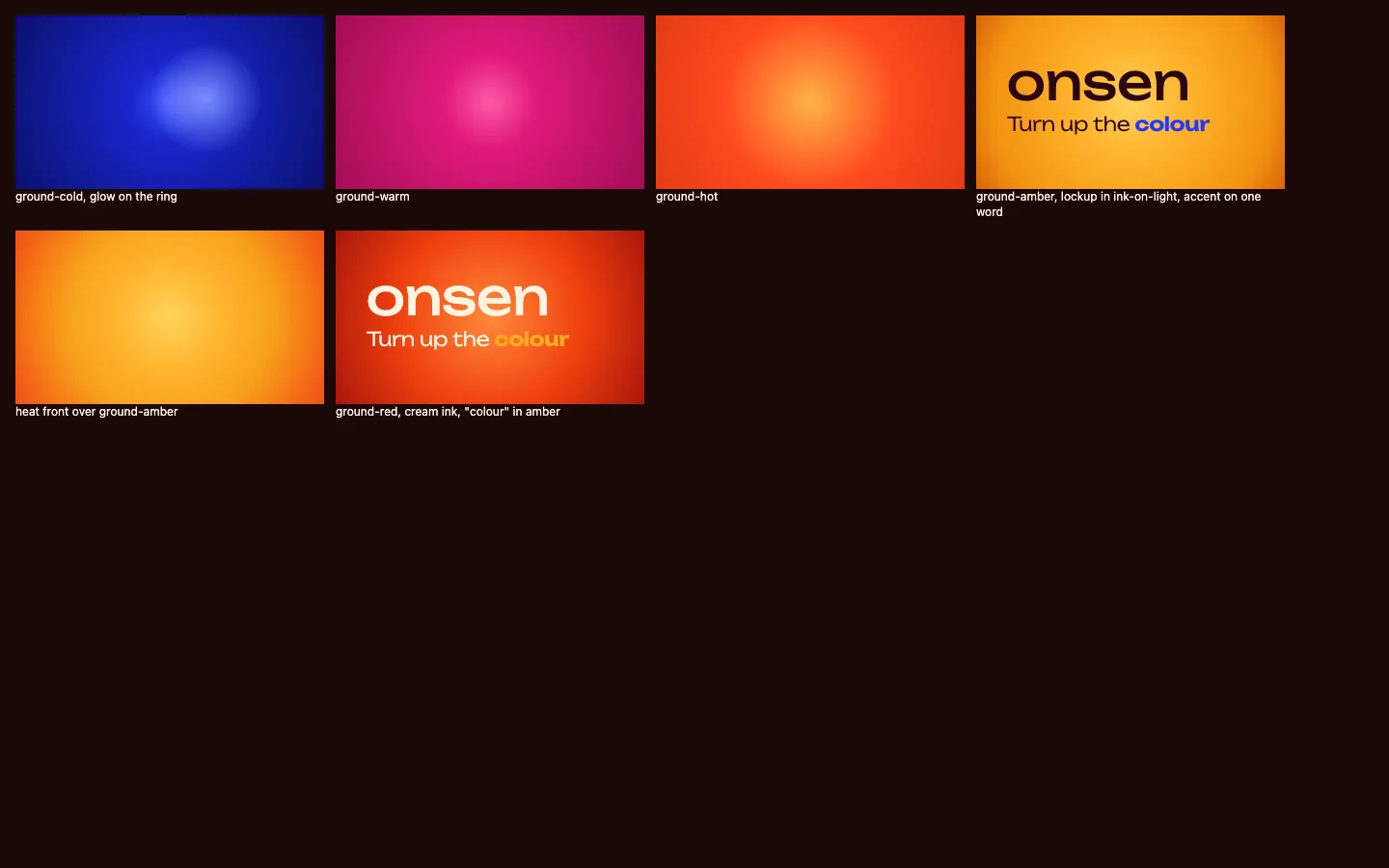
What good looks like
- Every word that moves is its own element, so the page can move it alone.
- A ground is never one flat fill. The kit names a light, grain or depth device, and the page changes it at each world turn.
- Product UI in the film is a designed interface with real-looking data, never placeholder bars.
- An owner decision that differs from a house default goes under
## DeclaredinDESIGN.md, one- key: valueline each (font,type-scale,ui-scale,camera). DESIGN.mdholds values, not adjectives: hex codes, a face and weights, a cap height as a percent of the frame.
Common mistakes
| What you see | Why | What to do |
|---|---|---|
| Advice says a rung has no line | The line does not match Skill <rung>: <slug>: <what it decided> or Skipped <rung>: <reason> | Write the line in one of the two forms |
| The kit looks like a web page | A builder skill added a nav, a pill or section padding | Keep the builder rung for the UI parts, then remove web-page patterns at the frame rung and say so |
| A new film does not look like the kit | The page set colours of its own | Take every value from kit.css |