Docs components
Every component that a docs page can use, rendered live. For docs writers; the rules are in DESIGN.md and WRITING.md.
This page shows each docs component once. Copy the MDX from content/docs/style-guide.mdx. The design rules are in DESIGN.md and the writing rules are in WRITING.md, both at the root of the docs repo.
Video
The renderer seeksTo seek is to set the page to a time t in seconds and paint the frame for that time. the page to a time and captures one frame. The same time always gives the same frame.
Figure
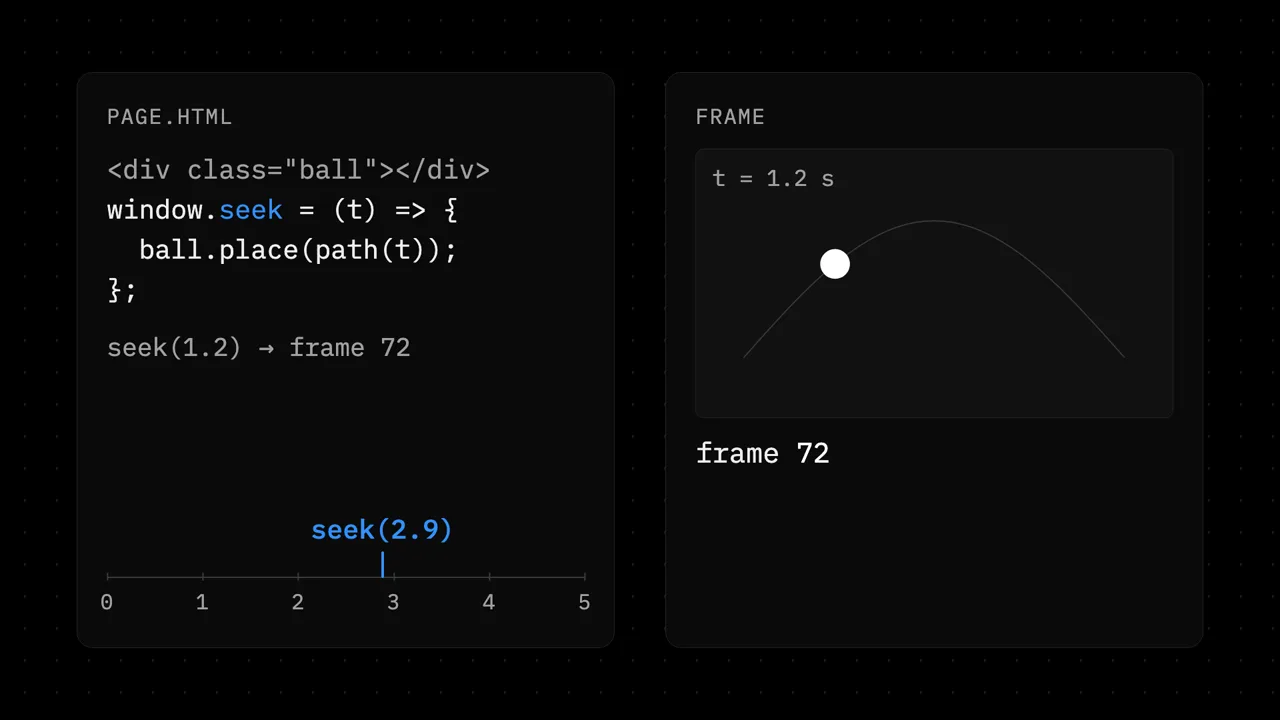
Diagram
A new diagram uses the primitives. Mark the one thing to notice with accent.
Steps
Write the brief
bin/vawe new hello --request "a 5 s sting for a coffee brand"Callout
Term
A worldA world is the one element that holds one beat of the film, marked with data-world="<id>". holds one beatA beat is one part of the story with one idea, such as the hook, a feature or the end.. The virtual clockThe virtual clock is the code in core/engine/page-clock.js that controls Date, requestAnimationFrame, timers and Math.random during a render. makes timers follow the seek.