Light leak transition
When to use
Status: rejected as an optical effect. Three CSS radial gradients on screen are a fake of a lens flare and an exposure change (owner rule: optical effects are real, never CSS fakes). For a bright cut use the real exposure change, exposure-flash (core/motion/exposure.js); for bloom or flare on a screen use the lens, lens (core/surfaces/lens.js). The snippet below stays only as a graphic warm wipe when a brief names a graphic flare, and only once per film.
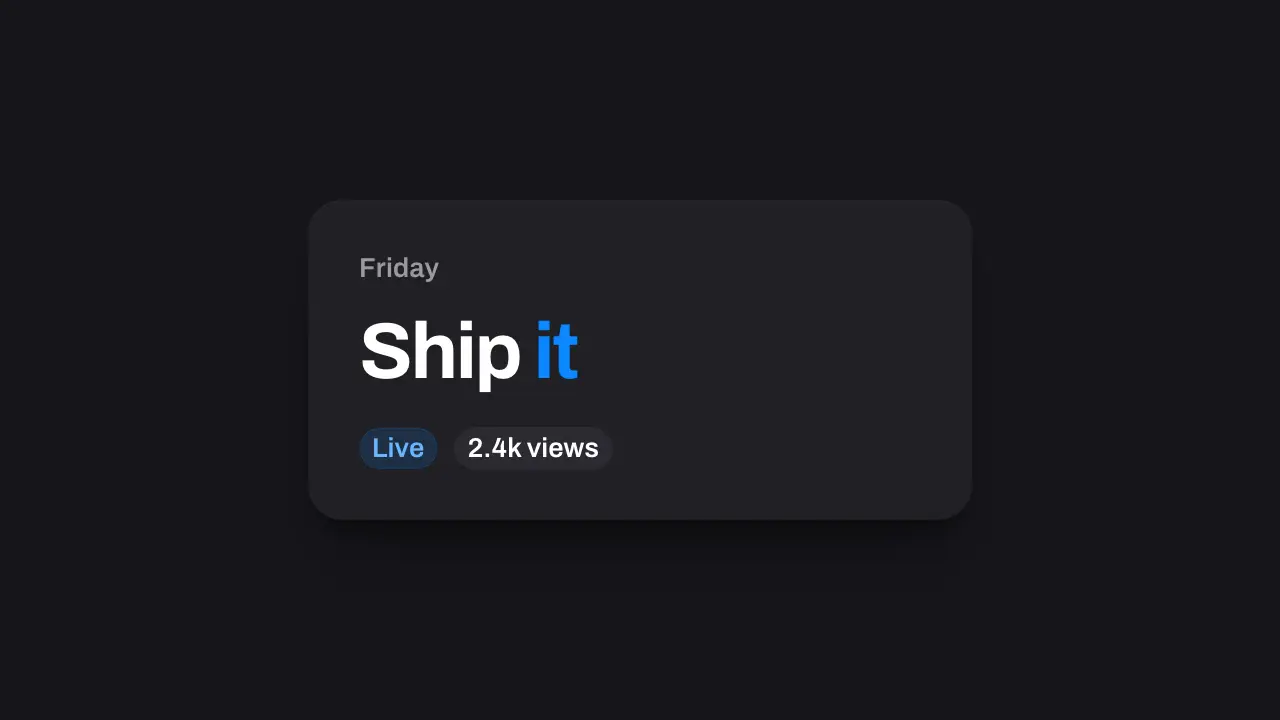
Use when two dark UI shots should meet through warmth instead of a wipe: a change of day or mood, a soft end of a beat. Three warm layers swell over the frame on their own clocks (about 0.4 s up), the cut lands on the peak where nothing else is visible, and the layers die faster than they rose while the new shot climbs out of the light. The warm flare reads against a dark ground, so use a dark look. Everything is generated gradients, so no image asset ships with it. Clip: light-leak-transition.mp4. Demo: demo/light-leak-transition.html.
The code
.leak { position: absolute; pointer-events: none; mix-blend-mode: screen; opacity: 0; }
.l1 { inset: -40% -30%; background: radial-gradient(40% 55% at 38% 50%, #ffb14a 0%, rgba(255, 120, 40, 0.75) 40%, rgba(255, 80, 30, 0) 75%); }
.l2 { inset: -40% -30%; background: radial-gradient(28% 42% at 62% 40%, #ff6a4a 0%, rgba(255, 70, 70, 0.6) 45%, rgba(255, 70, 70, 0) 75%); }
.l3 { inset: -40% -30%; background: radial-gradient(50% 36% at 50% 72%, #ffe3a6 0%, rgba(255, 190, 110, 0.55) 45%, rgba(255, 170, 90, 0) 75%); }
Easing and timing
The clip runs 2.6 s. The look is vawe.
The clip uses 5 named eases from core/motion/presets.js. Each is a pair of After Effects handles: influence is how far along the segment the handle reaches, and speed is how fast the value moves at the key, as a multiple of the segment's average speed. Motion in the docs explains both.
| Ease | Leaving a key | Arriving at a key |
|---|---|---|
carry | 33% influence, speed 0 | 12% influence, speed 4.8 |
glide | 33% influence, speed 0 | 33% influence, speed 0.1 |
land | 12% influence, speed 4.8 | 75% influence, speed 0 |
launch | 33% influence, speed 0 | 25% influence, speed 3 |
leave | 33% influence, speed 0 | 60% influence, speed 0 |
Notes
import { EASE } from '../../core/motion/presets.js';
const cut = 1080;   // ms: the peak of the layers
// start, rise, fall (ms), peak amount, drift [x0, y0, x1, y1] in percent: each layer keeps its own clock
const layers = { '.l1': [600, 480, 300, 1, [-18, 4, 14, -2]], '.l2': [680, 400, 280, 0.9, [20, -6, -16, 6]], '.l3': [640, 440, 360, 0.85, [-6, 10, 8, -10]] };
for (const [sel, [t0, rise, fall, amp, [x0, y0, x1, y1]]] of Object.entries(layers)) {
  const dur = rise + fall, peak = rise / dur;
  el(sel).animate([{ opacity: 0, easing: EASE.carry }, { opacity: amp, offset: peak, easing: EASE.leave }, { opacity: 0 }], { duration: dur, delay: t0, fill: 'both' });
  el(sel).animate([{ translate: `${x0}% ${y0}%`, scale: 0.8 }, { translate: `${x1}% ${y1}%`, scale: 1.3 }], { duration: dur, delay: t0, easing: EASE.glide, fill: 'both' });
}
// the old shot sinks into the light, the cut lands on the peak, the new shot climbs out as the light leaves
shotA.animate([{ opacity: 1 }, { opacity: 0 }], { duration: 400, delay: cut - 400, easing: EASE.launch, fill: 'both' });
shotB.animate([{ opacity: 0 }, { opacity: 1 }], { duration: 420, delay: cut, easing: EASE.land, fill: 'both' });
Three layers with different hues, sizes, drifts and timings make the light read as photographic: one uniform wash reads as a fade. Every layer falls faster than it rose, so the new shot is in view while the light is still leaving. Fade the old shot to nothing before the peak, or its white type ghosts through the light. Pick the warm family (amber, coral, peach) and keep it to one flare per film: the same leak twice reads as a template. No text sits under the flare at the peak. The move needs no image: a leak photo adds weight and a licence for what three gradients do.
Looks (ground, type, radius, accent) live in demo/demo.css; this snippet keeps neutral tokens.
Sound
Sound: whoosh at 0.6 s into the move, so its swell meets the flare at the cut (default gain).
Related moves



See all 125 moves. Learn how a page becomes a film in the docs, copy chains of moves from the recipes, or read the motion guide.