Cut video to the beat in code: a cut table for HTML video
Read a music track as a beat grid, check that each cut lands within one frame of a hit, and move it. 8 of 19 calls failed first.
You can cut a video to the beat in code, with no ear involved. Read the music as a beat grid and a list of hits. Compare every cut with them. Move each cut that is more than three frames off. The result is a cut table: each cut is on beat, near or off, and each off cut names the second to move it to. Our agents work this way because an agent can read a music file as bytes but cannot hear it.
What we did
We built the check into vawe sound, after we read agent traces. In one trace, the agent wrote its own Python with numpy to find onsets. The reason: vawe see refused the track with “no readable video stream” (see expects a film). In another film, a person found the hits by hand. Ten cuts fell in the first 2.2 seconds, where the music has no onset at all.
The verb now reads a track, a film, a page or a reference id. It prints the tempo, a beat grid, every hit with a kind (click, pop, swish, impact or sustained), and a cut table. The code is in harness/lib/sound-read.mjs (hits, tempo, grid, cut table) and harness/media/sound.mjs (the verb).
How to cut to the beat
You need a music file from a person, and a vawe page with one data-world element for each beat. The elements give the cut times. Without a music file the verb says there is no beat grid. It does not check cuts against nothing. The CLI docs list the verbs.
Make a test track first. This command writes a 6 second click track at 120 BPM with ffmpeg:
ffmpeg -y -f lavfi -i "aevalsrc='sin(2*PI*1000*t)*exp(-40*mod(t,0.5))':d=6:s=44100" click.wavStep 1: read the track alone.
bin/vawe sound click.wavWe ran it. It printed Tempo 120 BPM, the first beat at 0.50 s, and 11 hits. Each hit is a “pop”, at 0.50 s, 1.00 s, 1.50 s and so on. One beat is 15 frames at 30 fps.
Step 2: check the cuts of a film against the track.
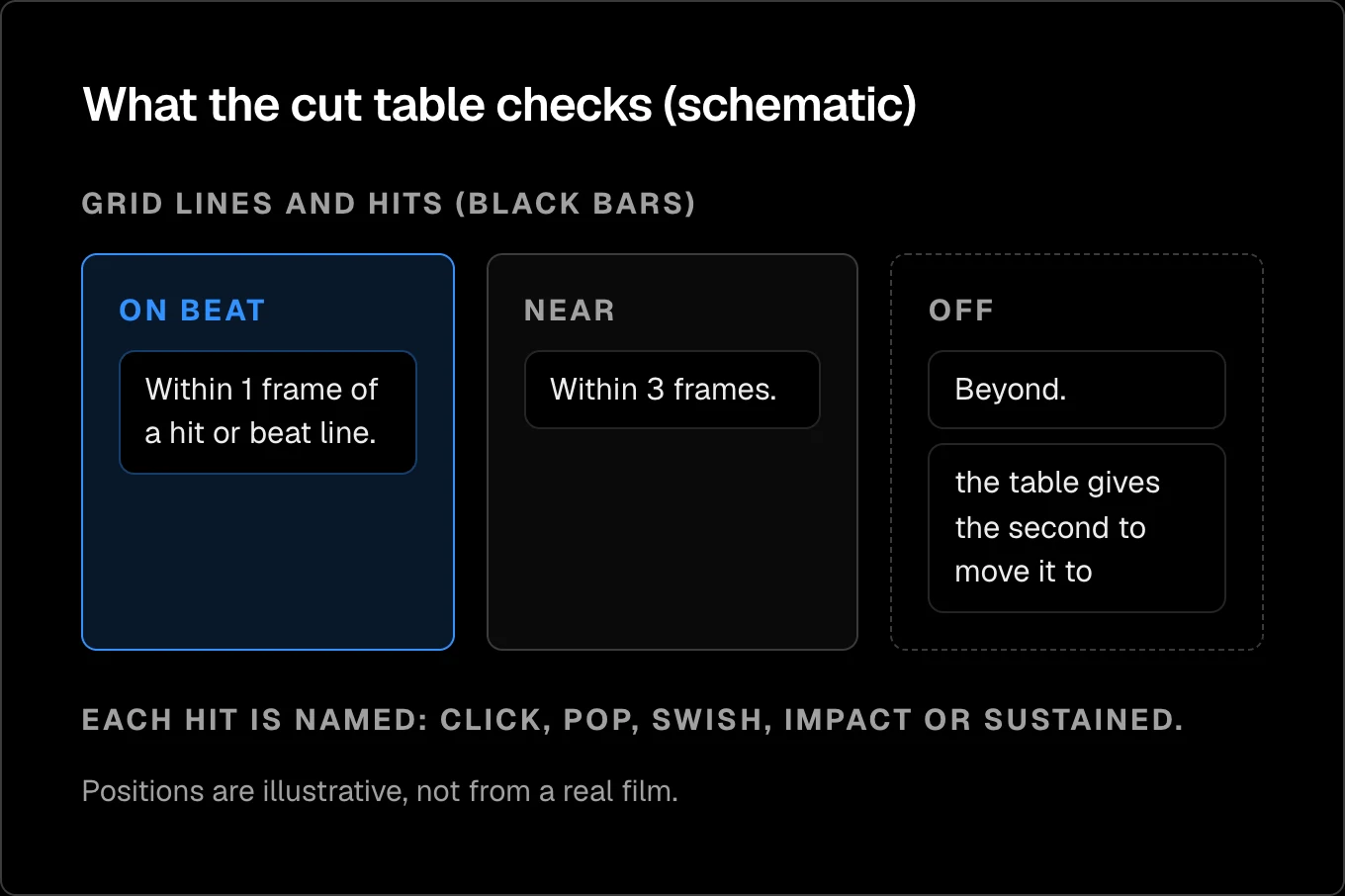
bin/vawe sound click.wav --cuts films/examples/colour-sting/page.htmlThe table gives each cut a verdict. Within 1 frame of a hit or a beat line, the cut is on beat. Within 3 frames it is near. Beyond that it is off. Half-beat lines count as targets too.
On the five cuts of colour-sting against this click track, 2 of 5 were on beat. The advice named the fix for each off cut:
cut 1 at 0.03 s is 14 f before the hit at 0.50 s (off): move it to 0.50 s (frame 15 at 30 fps).
cut 5 at 4.37 s is 3.5 f after the half beat at 4.25 s (off): move it to 4.25 s (frame 127 at 30 fps).
The film has no music of its own, so this shows the table and does not show a good cut. Real tracks give real hits.
Step 3: move the off cuts. Each beat start is a literal in the page, a keyframe stop or a :root custom property. Edit that number to the second the table names. Render a draft, then run Step 2 again.
You do not have to remember Step 2. The draft loop reads the same table through the cut-off-beat check. It reports how many cuts sit within a frame of a hit or beat line. It lists the off ones and names the command that gives the fix. It never stops a draft, and a page can waive the check with a reason.
Failures we hit
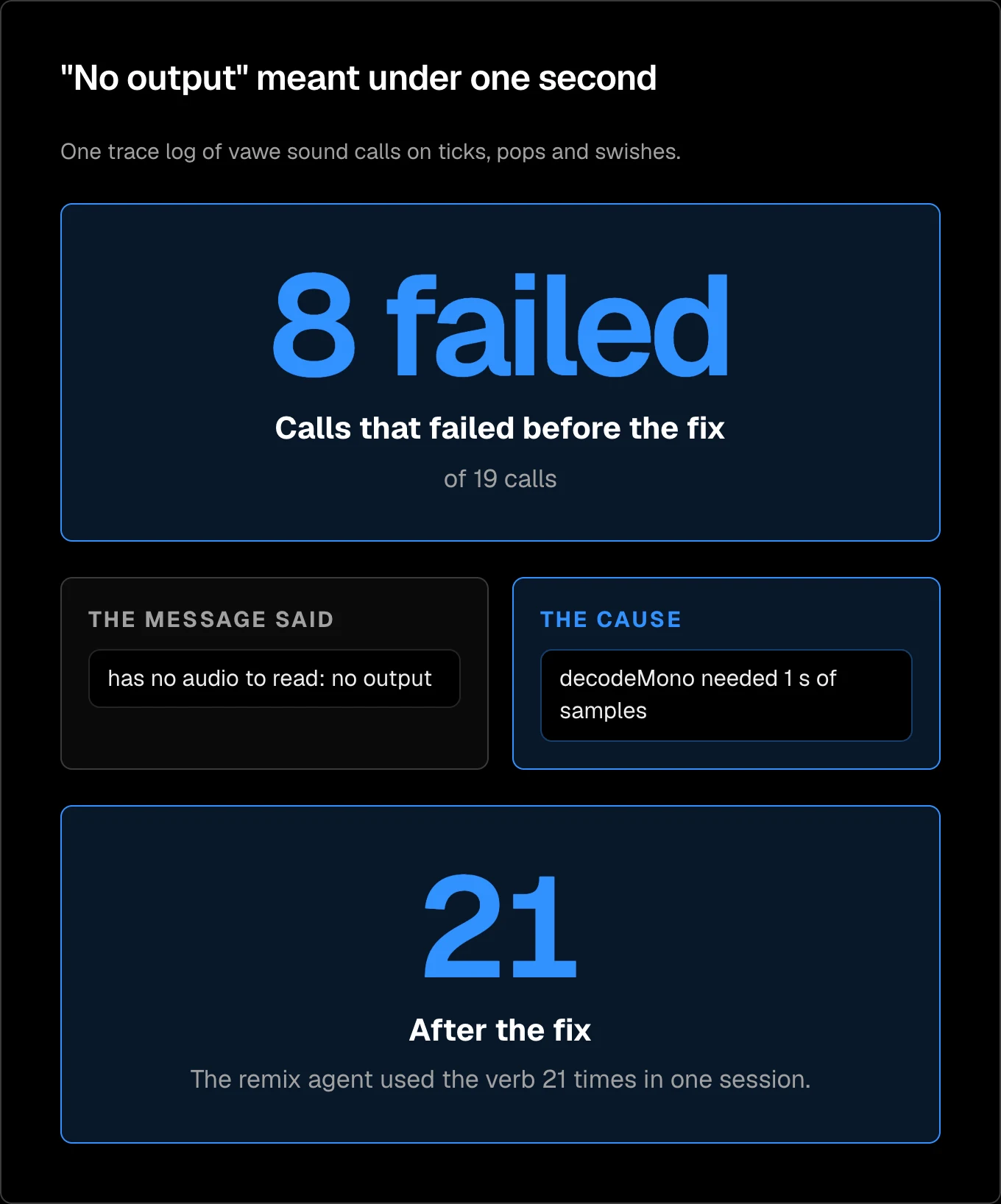
Short cues failed first. Agents ran vawe sound on the cues of their own film, and those files are often under one second. The decoder rejected any file with less than one second of samples. It printed “no output” when ffmpeg had said nothing, because nothing was wrong with the file.
In one session log, 8 of 19 sound calls exited with code 2 on a tick, a word pop, a leave swish and similar cues. We reproduced it on a valid mp3 tick. The fix is in decodeMono in harness/lib/audio-onsets.mjs. It takes a minSeconds option with a default of 1. The sound reader passes 0.02, and a file that is too short now fails with under N s of audio. We checked a 0.15 s tick after the fix and vawe sound read it.
Two more errors came from wrong inputs. In one remix session, 3 of the 13 errors came from vawe sound. One call passed a reference id where a path was expected. Two calls ran on a page with no music. Both now get a clear answer.
| Test | Result |
|---|---|
One session log, vawe sound on short cues |
8 of 19 calls failed |
| A remix session trace, after the fix | the agent used the verb 21 times |
The two numbers come from two sessions, so they do not form a rate. We have not measured whether films cut closer to the beat. The on-beat share before and after is still to collect.
A cut on the beat can still feel flat if nothing carries the eye across it. Motion graphics transitions covers that. For the level of the finished mix and what plays under the cuts, read LUFS for video, and see the audio docs for the tags.
FAQ
How do I cut a video to the beat?
Find the beat times of the music, then move each cut to the nearest beat or hit. In vawe, vawe sound <track> --cuts <page> prints the beat grid and names the second to move each cut to.
How close to the beat must a cut be? We call a cut on beat when it is within 1 frame of a hit or beat line, and near within 3 frames. At 30 fps, 1 frame is about 33 ms.
Can an AI agent hear music? No. It can read a music file as numbers. Onset detection turns those numbers into hits and a beat grid that the agent can compare with its cuts.
Why did vawe sound say “no output”? Older versions rejected audio files shorter than one second, such as a tick. The reader now accepts files down to 0.02 s.
Read next
Depth of field in CSS and WebGL: a measured test
CSS blur and text-shadow against one WebGL lens that films the page. Bloom measured 24.9 px against 20.7 px on a reference film.
Image to particles in three.js: a step-by-step guide
Weight pixels by luma and edges, draw seeded points, light them by normal. 120,000 points in a 1.3 MB clip. Code included.
Motion graphics transitions: 12 types, 10 mistakes
Name what carries the eye over each cut. 12 handoff families and the 10 tells of a slideshow, with clips and a check you can run.