Drop and land
When to use
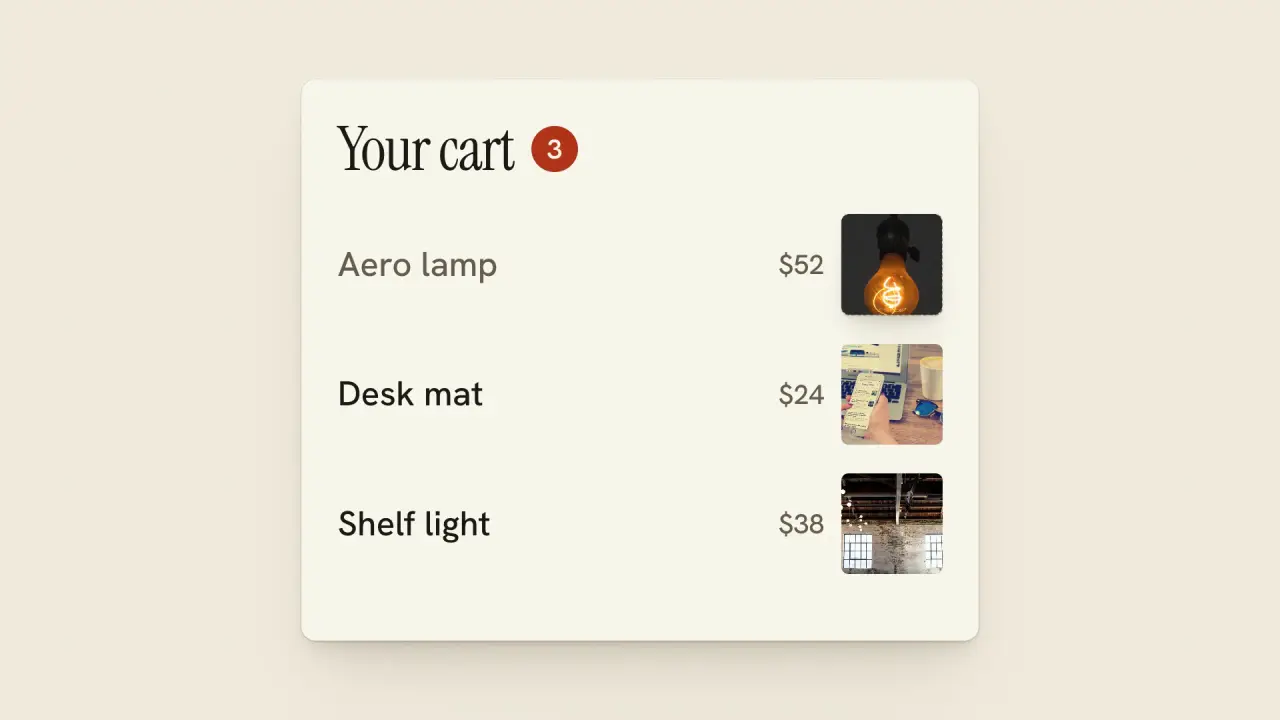
Use when an action in scene A has its result in scene B: the user presses "Add to cart", the product tile drops out of the card and lands in the cart on the next screen. One item carries the handoff. It falls under gravity the whole way, so its speed never steps at the seam, while one camera tilt brings the cart up to meet it and stops before it lands. Clip: drop-and-land.mp4. Demo: demo/drop-and-land.html.
The code
import { easeFn } from '../../core/motion/presets.js';
import { spring } from '../../core/motion/springs.js';
const settle = easeFn('settle'), land = easeFn('land');
const FALL = 0.92, LAND = 1.85, CAM = { at: 1.0, dur: 0.7 };      // seconds; the camera is done 0.15 s before the landing
const camY = (t) => H * settle(clamp((t - CAM.at) / CAM.dur));     // one tilt down by one frame height, never back
const itemAt = (t) => {
  if (t < FALL) return { x: START.x, y: START.y - 1.8 * u * land(clamp((t - 0.76) / (FALL - 0.76))) };   // the lift: cause before the fall
  if (t < LAND) {
    const f = (t - FALL) / (LAND - FALL), apex = START.y - 1.8 * u, trayNow = SLOT.y - camY(LAND);
    return { x: START.x + (SLOT.x - START.x) * settle(f), y: apex + (trayNow - apex) * f * f };   // y: gravity, 0 speed at the apex
  }
  const k = spring(t - LAND, 220, 12);                              // a small settle: the tile squashes to 0.86 and rings once
  return { x: SLOT.x, y: SLOT.y - camY(t), sy: 1 - 0.14 * (1 - k) };
};
// belt.style.transform = `translateY(${-camY(t)}px)`: scene A at world y 0, the cart at world y H; the item is not on the belt
Easing and timing
The clip runs 3.2 s. The look is paper.
The clip uses 2 named eases from core/motion/presets.js. Each is a pair of After Effects handles: influence is how far along the segment the handle reaches, and speed is how fast the value moves at the key, as a multiple of the segment's average speed. Motion in the docs explains both.
| Ease | Leaving a key | Arriving at a key |
|---|---|---|
land | 12% influence, speed 4.8 | 75% influence, speed 0 |
settle | 60% influence, speed 0 | 60% influence, speed 0 |
Notes
The item is free in the frame, not stuck to a scene: it gets its own gravity clock, and the belt slides under it. That is why its speed has no kink where it passes from scene A's area into the cart's: the measured speed rises from 0 at 0.92 s to 1.2 frame heights a second and meets the cart at 0.8. The camera moves first and finishes first, so the item lands on a cart that is already still; a camera that is still moving at the landing carries the item up as it hits. Fall under 0.7 s reads as a snap, and over 1.1 s reads as floating.
Two numbers make it a drop: the lift (1.8 percent of frame height up, 0.16 s, EASE.land) is the anticipation, and the squash at the landing is 14 percent with one overshoot. The tile shrinks from 24 to 14 percent of frame height on the way down so it fits the slot; its x moves on settle so there is no sideways speed at the release or at the contact. Never put the item on a different layer order after it lands: it stays above the cart, z-index explicit.
Looks (ground, type, radius, accent) live in demo/demo.css; this snippet keeps neutral tokens.
Sound
Sound: a short tap at the landing frame (1.85 s), one cue; the press has its own click.
Related moves

See all 125 moves. Learn how a page becomes a film in the docs, copy chains of moves from the recipes, or read the motion guide.